
People and work → coordinated team administration · HR
Look after the people
who run the business.
Give employee administration a connected home — from a candidate and joining details to attendance, leave requests, and configured payroll records.
Keep people connected
Coordinate time and leave
Prepare payroll clearly
Employee records
Find the person.
Keep their record together.
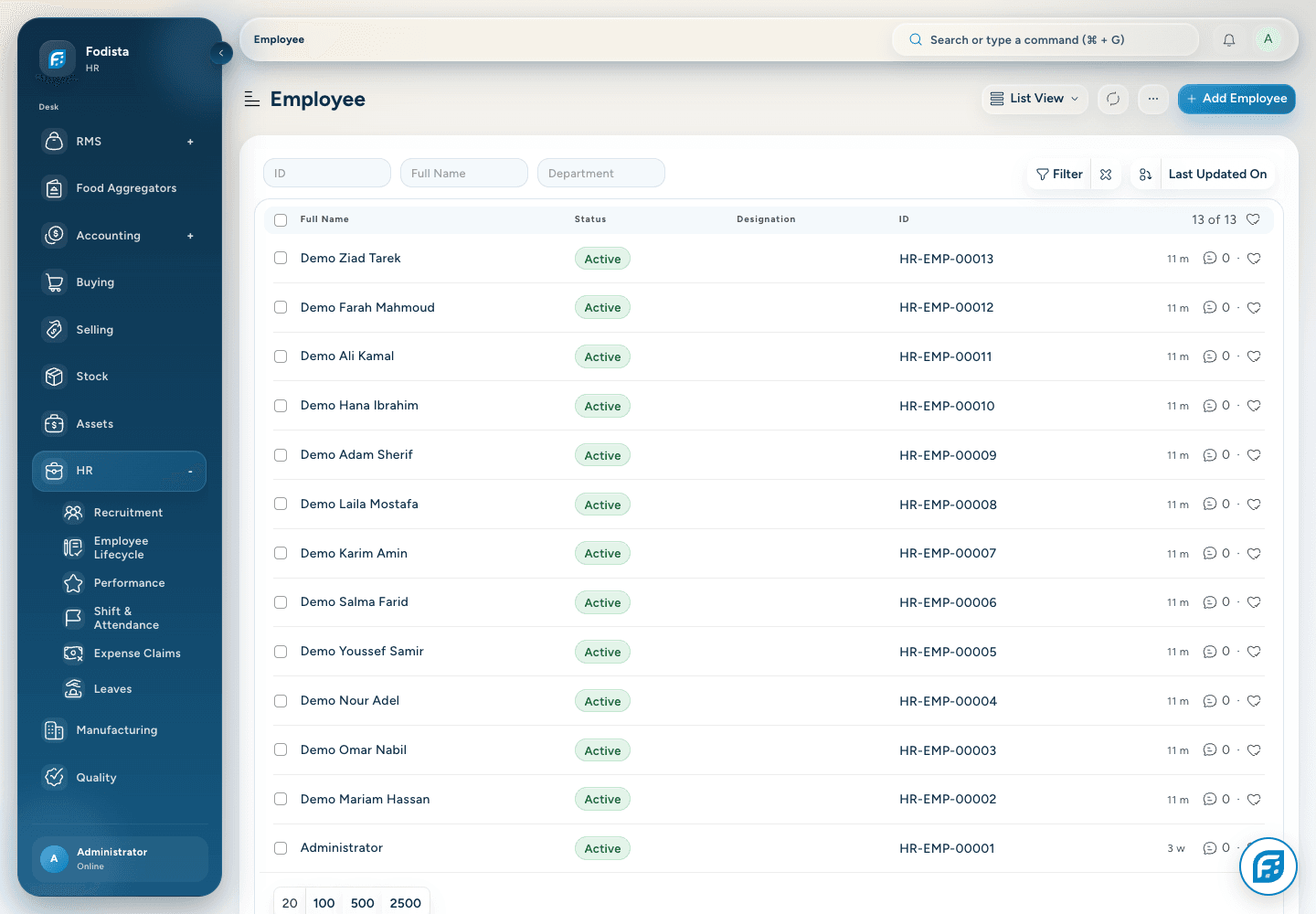
Maintain employee identity, joining details, company, department, and active status in a shared administrative record.
- A single identityUse one employee record across the supported HR workflows.
- Team contextKeep company and department assignments clear.
- Controlled accessEmployee information follows the configured role and record permissions.
Employee details
Give each employee
a complete starting point.
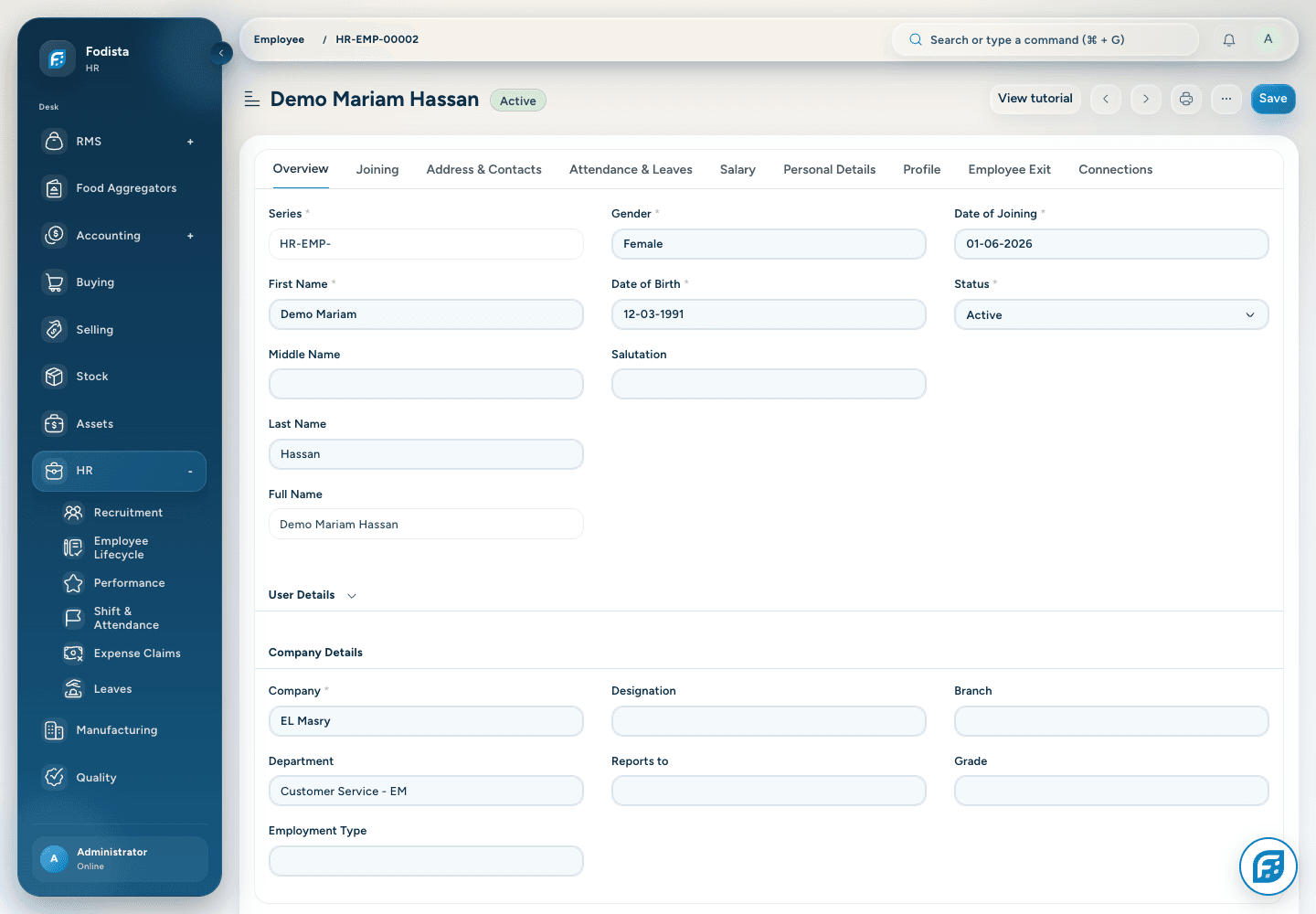
Keep supported personal, employment, and organization details with the employee instead of spreading them across disconnected sheets.
- Joining contextRecord the date and company context that begin employment.
- Organization detailsMaintain the supported department and job information.
- Responsible handlingUse appropriate access for sensitive employee information.
Recruitment
Keep candidates
in the conversation.
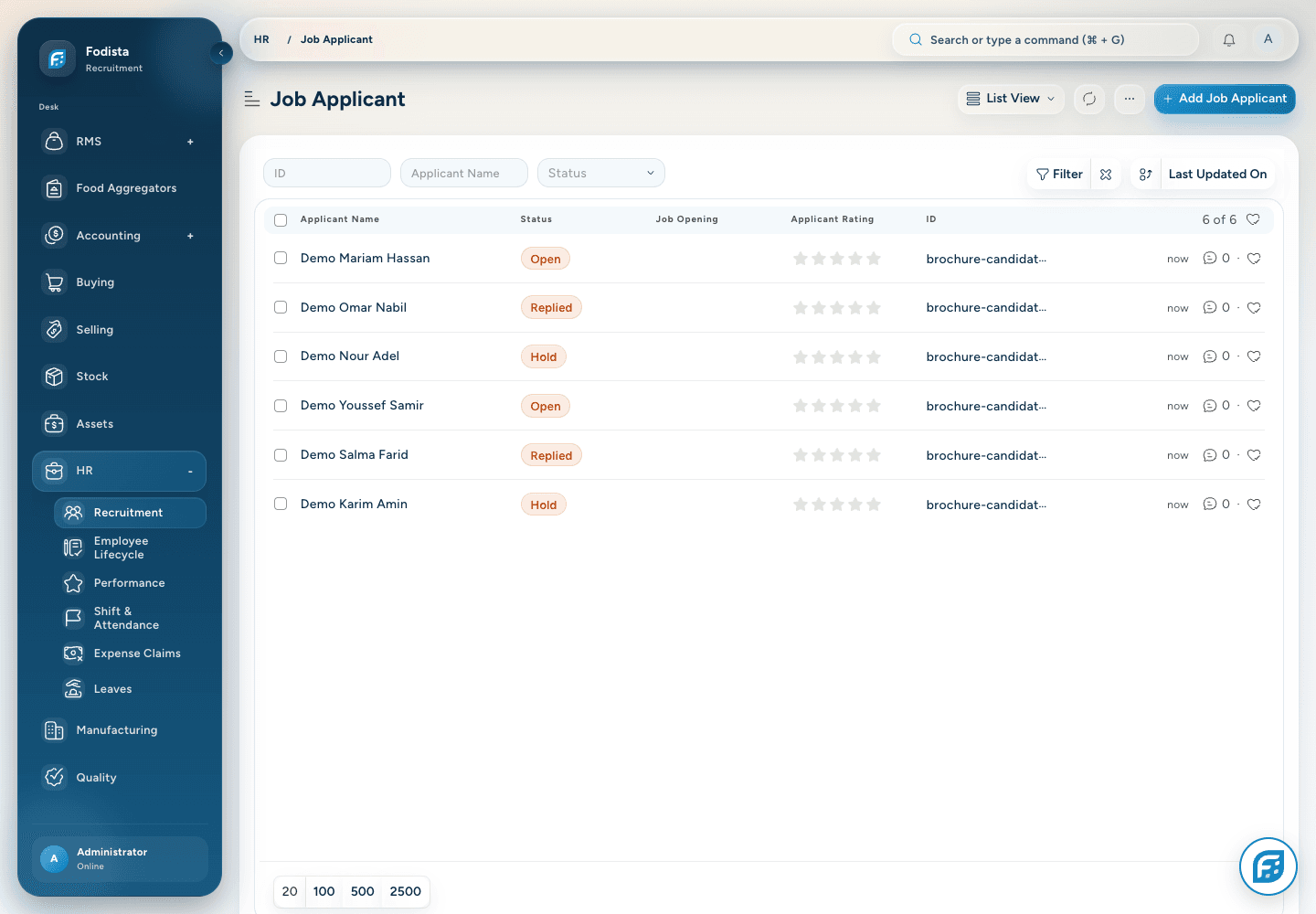
Use the supported applicant records to retain candidate identity and the current recruitment state.
- Candidate recordsKeep the applicant and contact reference together.
- A visible stageReview Open, Replied, Hold, and other configured statuses.
- Employment connectionContinue through the supported offer and joining workflows when ready.
Employee lifecycle
Make joining
a coordinated process.
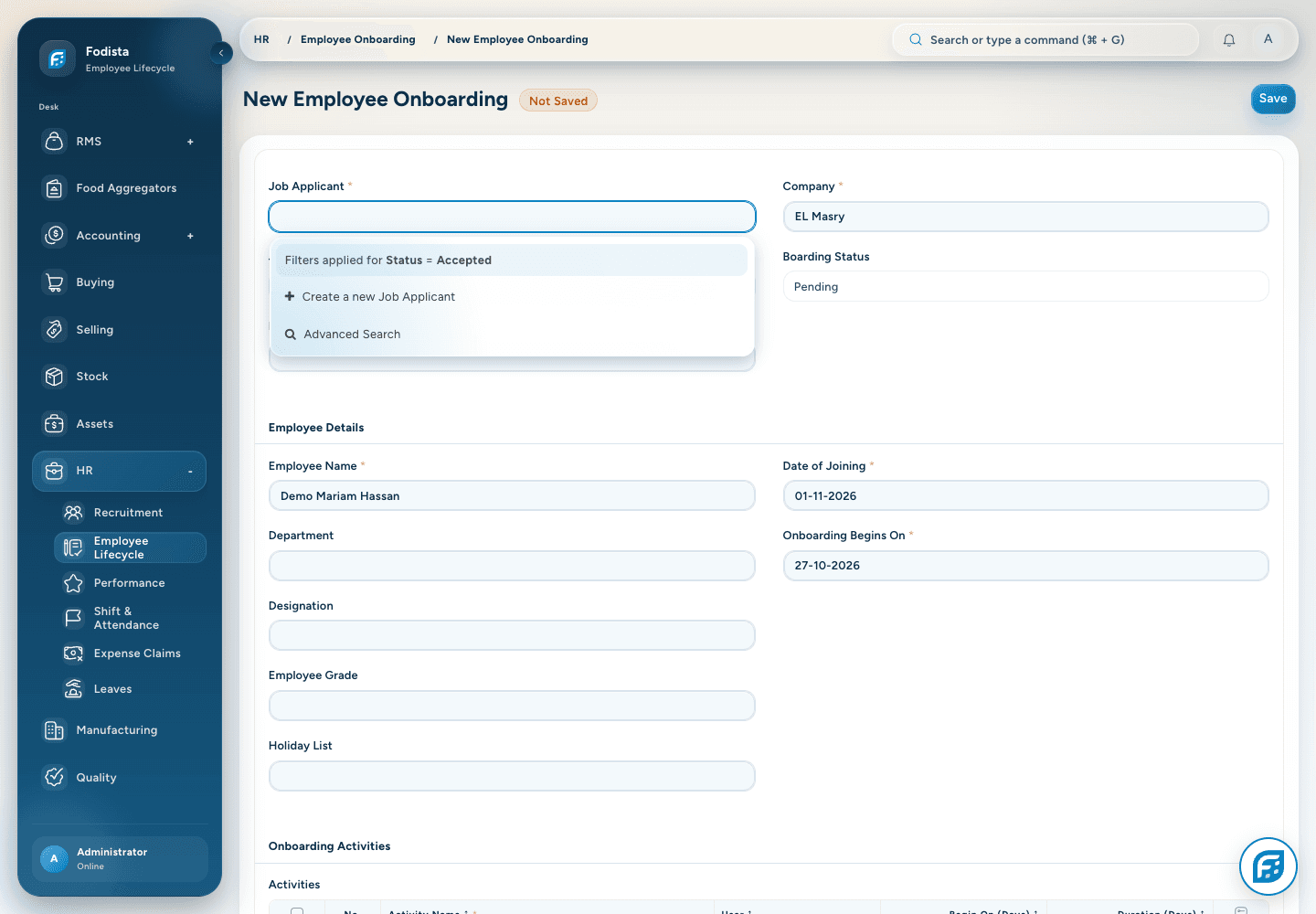
Use the installed employee-lifecycle tools to organize onboarding and related administrative steps around the new employee.
- Joining detailsKeep the expected joining date and employment context together.
- Structured activitiesUse the configured onboarding activities and assignments.
- Connected handoffCarry the relevant candidate and offer references into the lifecycle record.
Shift planning
Define the shift.
Keep attendance in context.
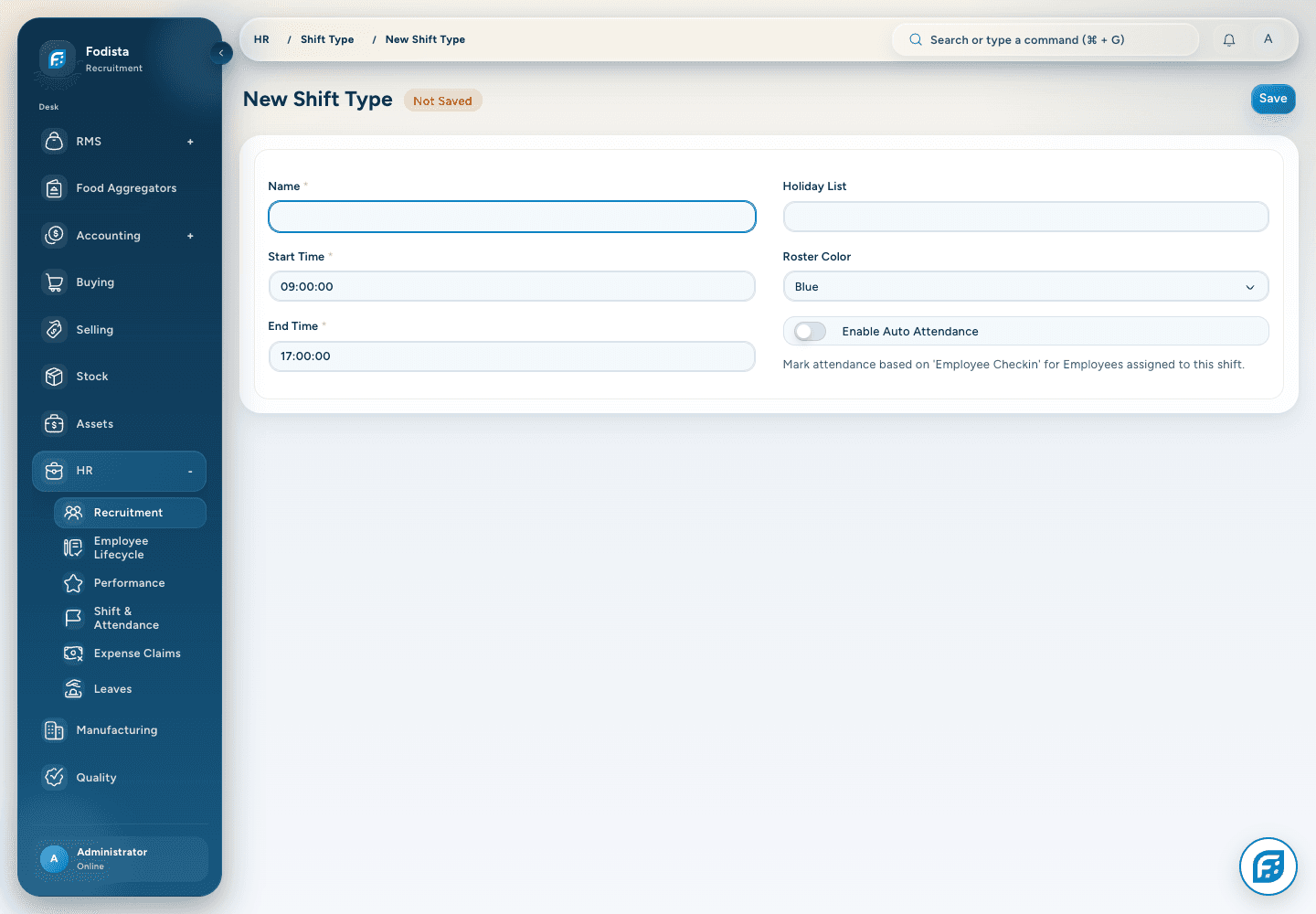
Use supported shift setup and assignment to establish the work schedule used by the attendance process.
- Work scheduleMaintain the intended start and end times.
- Assignment contextUse the supported shift-assignment workflow.
- Attendance policyAutomatic or manual attendance behavior depends on the configured rules.
Attendance
See the recorded day.
Understand the status.
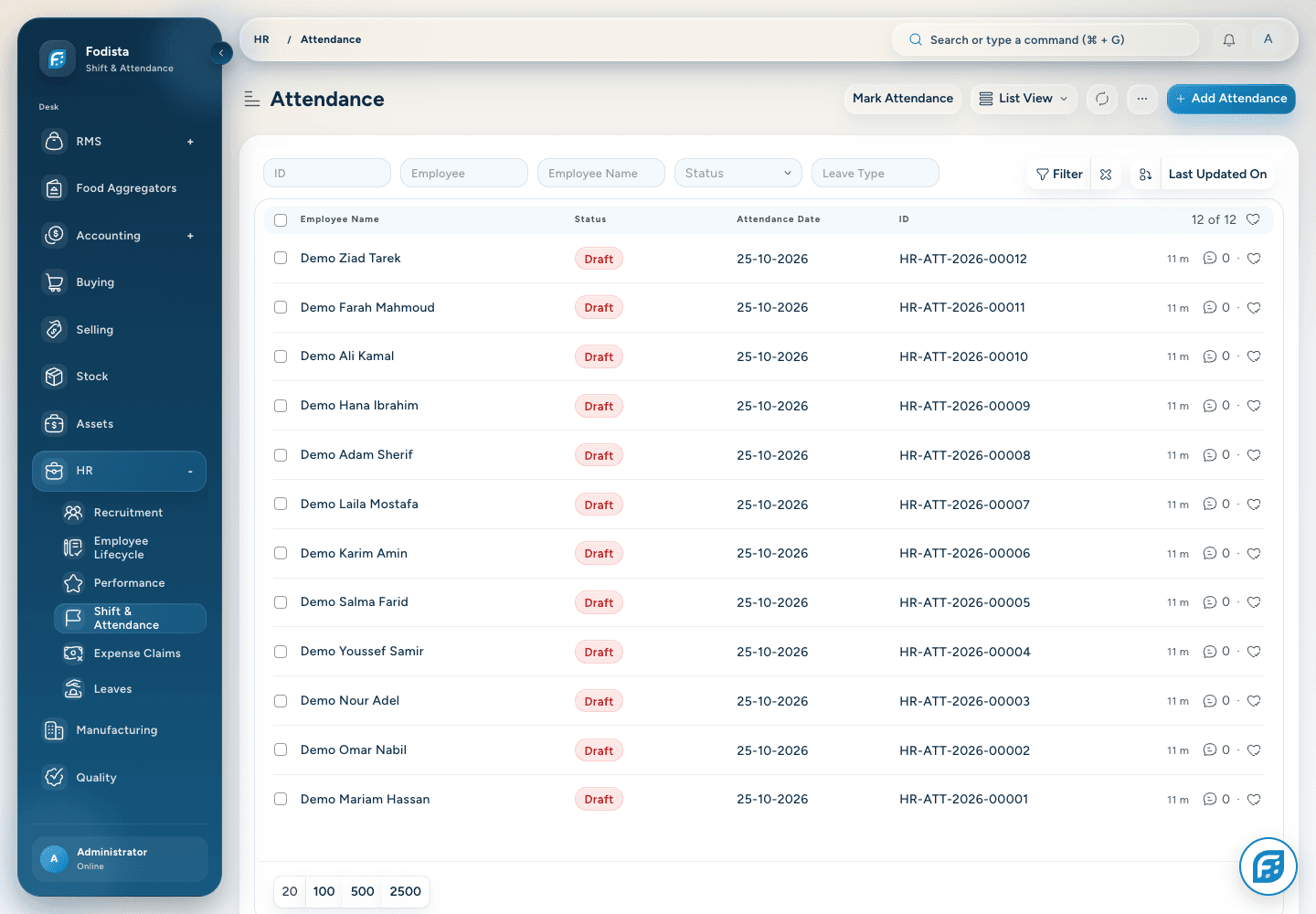
Review attendance by employee and date, with the supported attendance states visible to HR and the responsible manager.
- Daily recordsKeep the employee and attendance date together.
- Meaningful statesPresent, absent, half day, and other configured states describe the recorded day.
- Payroll contextAttendance and leave affect payroll where the configured structure uses them.
Leave requests
Make time away
a visible request.
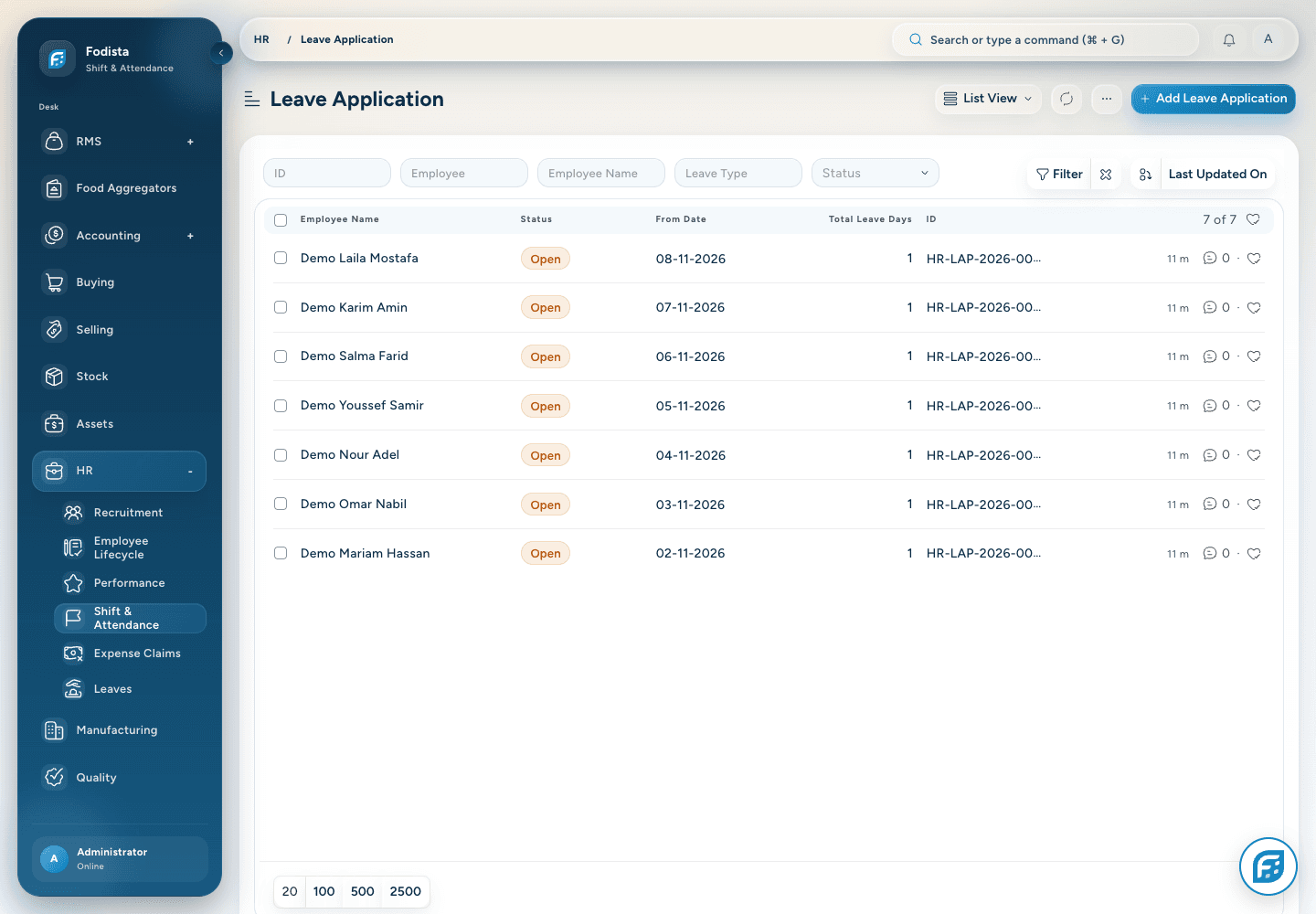
Keep leave dates, type, employee, and approval state together so the team can review the request in its actual context.
- The requested periodReview start, end, leave type, and the resulting days.
- Approval stateUse the supported approval workflow and permissions.
- Policy and balanceLeave policy and available balance still govern eligibility.
Employee expenses
Keep the expense
with its explanation.
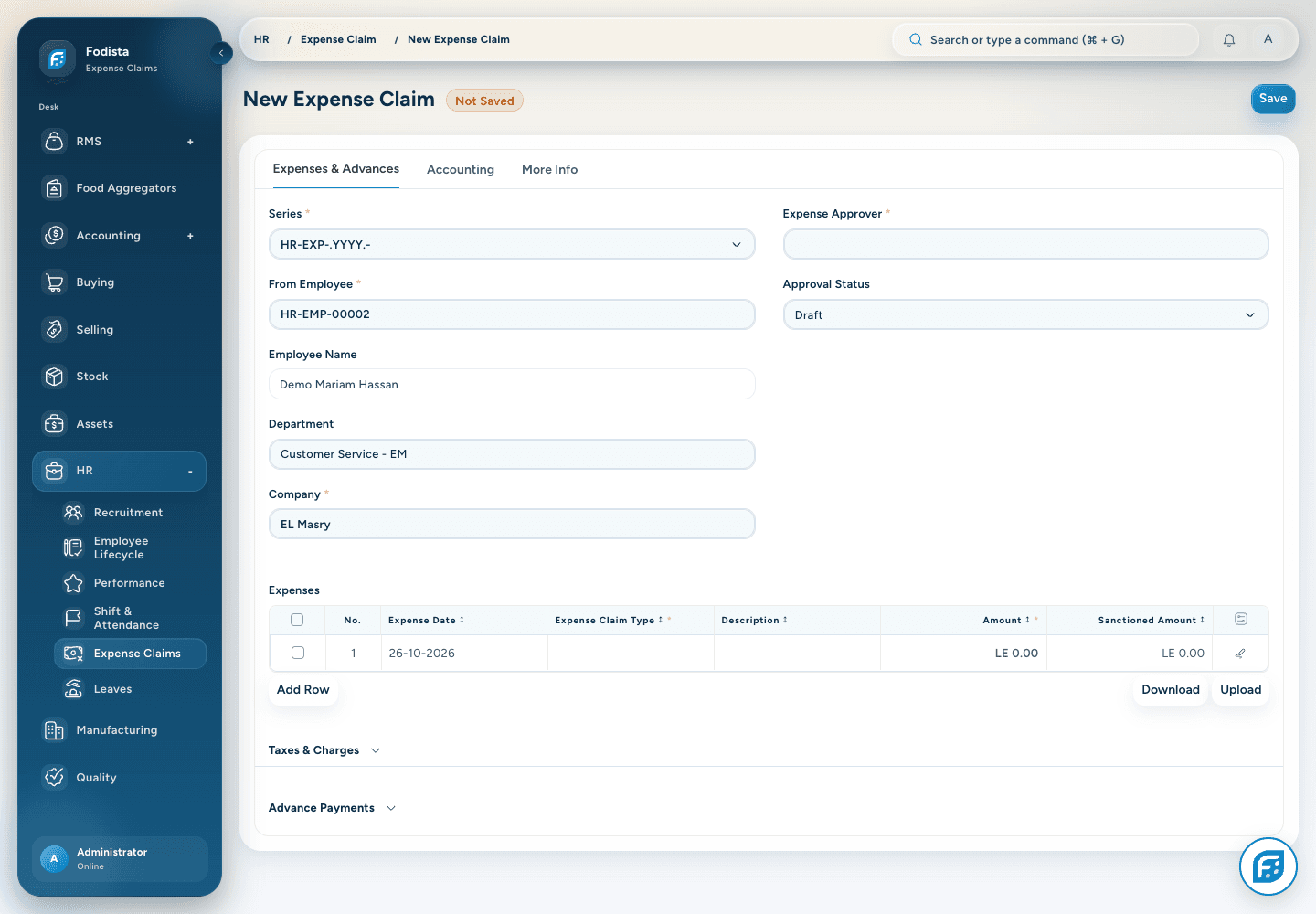
Use Expense Claim to collect the supported expense details, amounts, and employee context for review.
- A structured claimRetain expense dates, types, and descriptions.
- Review and approvalUse the configured approver and workflow.
- Finance connectionApproved claims continue through the supported accounting and payment process.
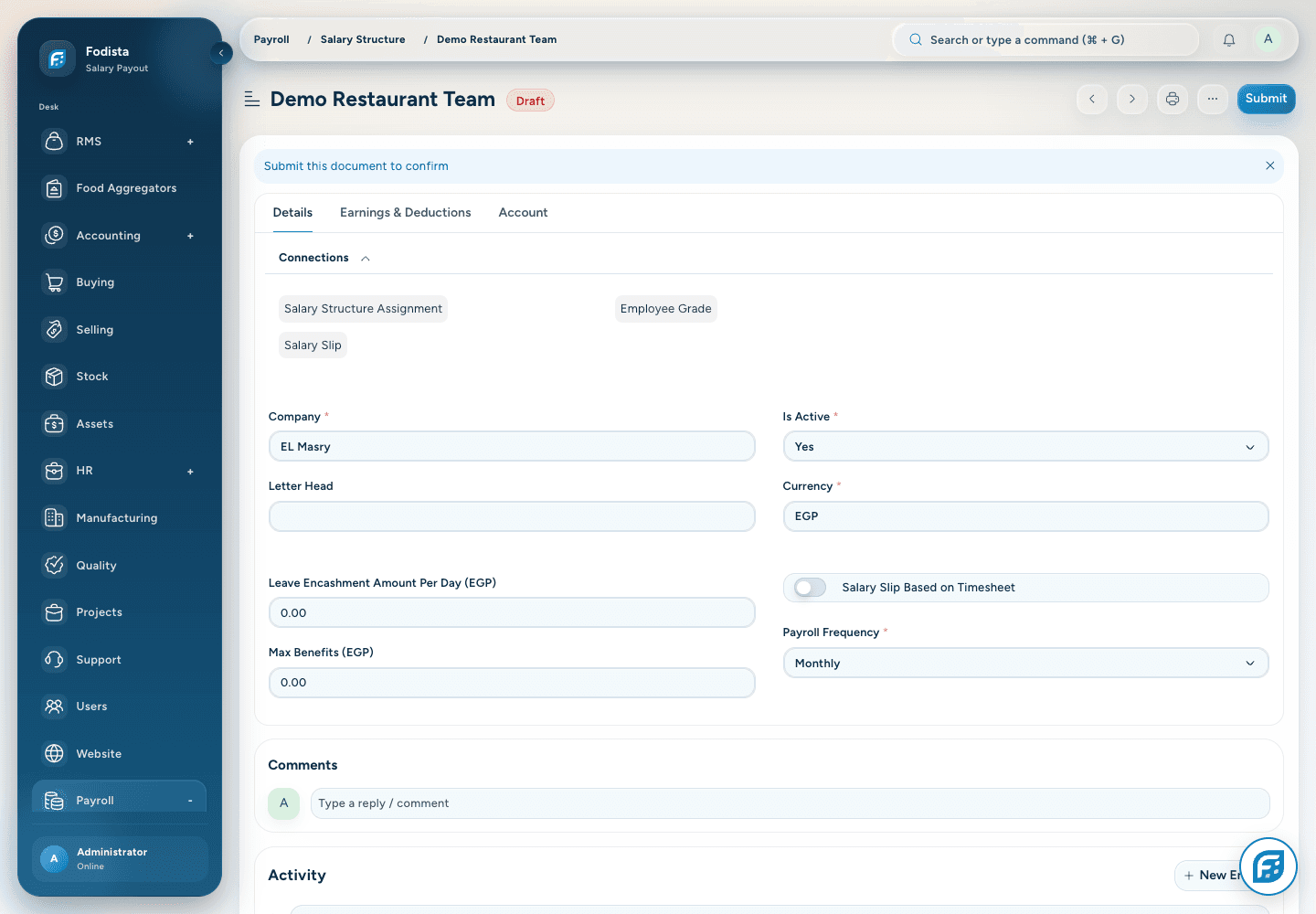
Salary structure
Explain the structure
before calculating the pay.
Configure the supported earnings and deductions in a salary structure appropriate to the company and payroll frequency.
- Defined componentsUse configured salary components for earnings and deductions.
- A clear frequencyKeep currency and payroll frequency explicit.
- Policy-led calculationAttendance, tax, and component rules depend on the implemented setup.
Payroll preparation
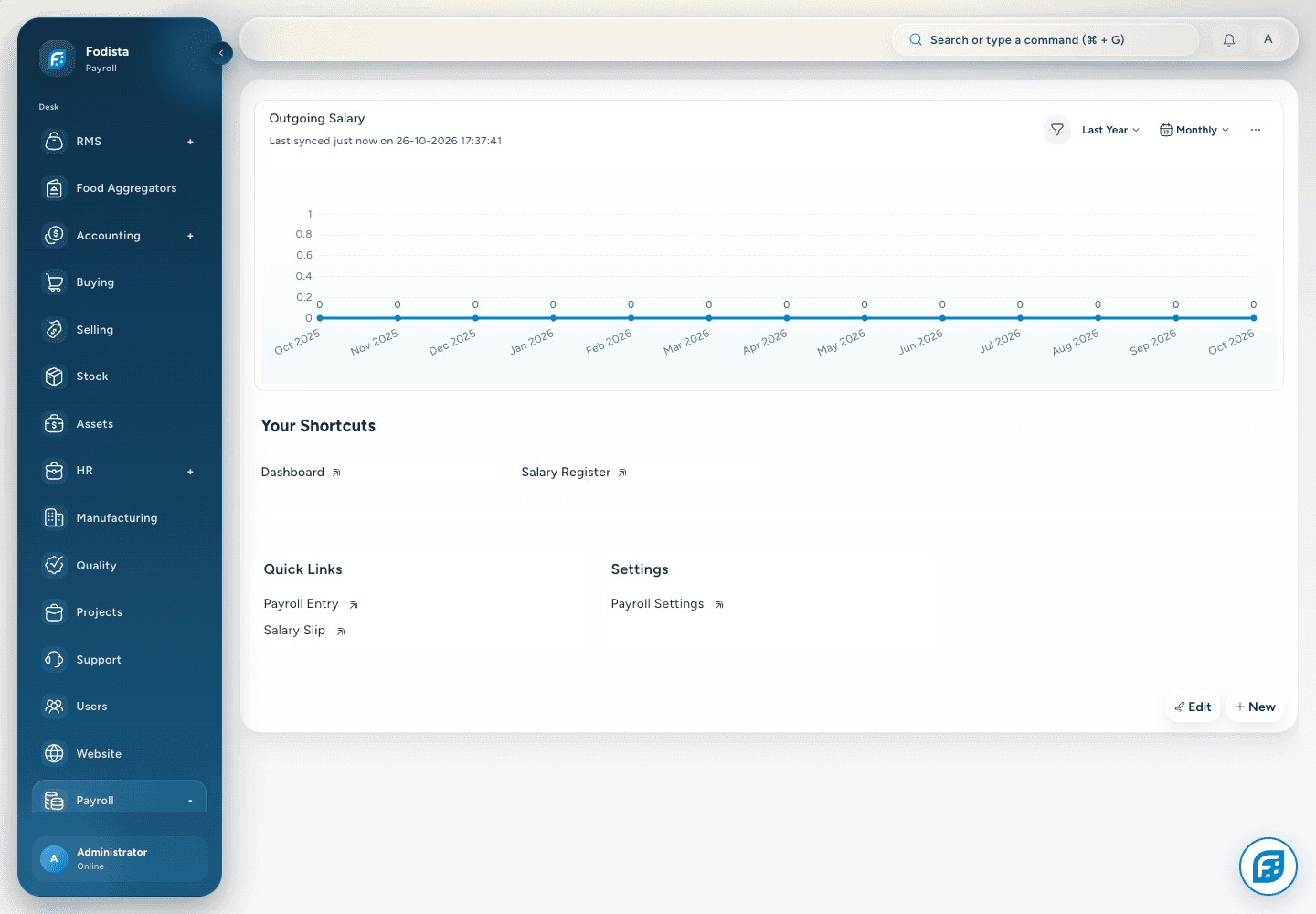
Bring the pay period
into one process.
Use the installed payroll tools to prepare salary slips and payroll entries for the intended company and period.
- The payroll contextSelect the intended company, dates, and eligible employees.
- Review before submissionCheck the resulting salary calculations and exceptions.
- Accounting handoffPosting and payout use the configured accounts and permissions.
Performance review
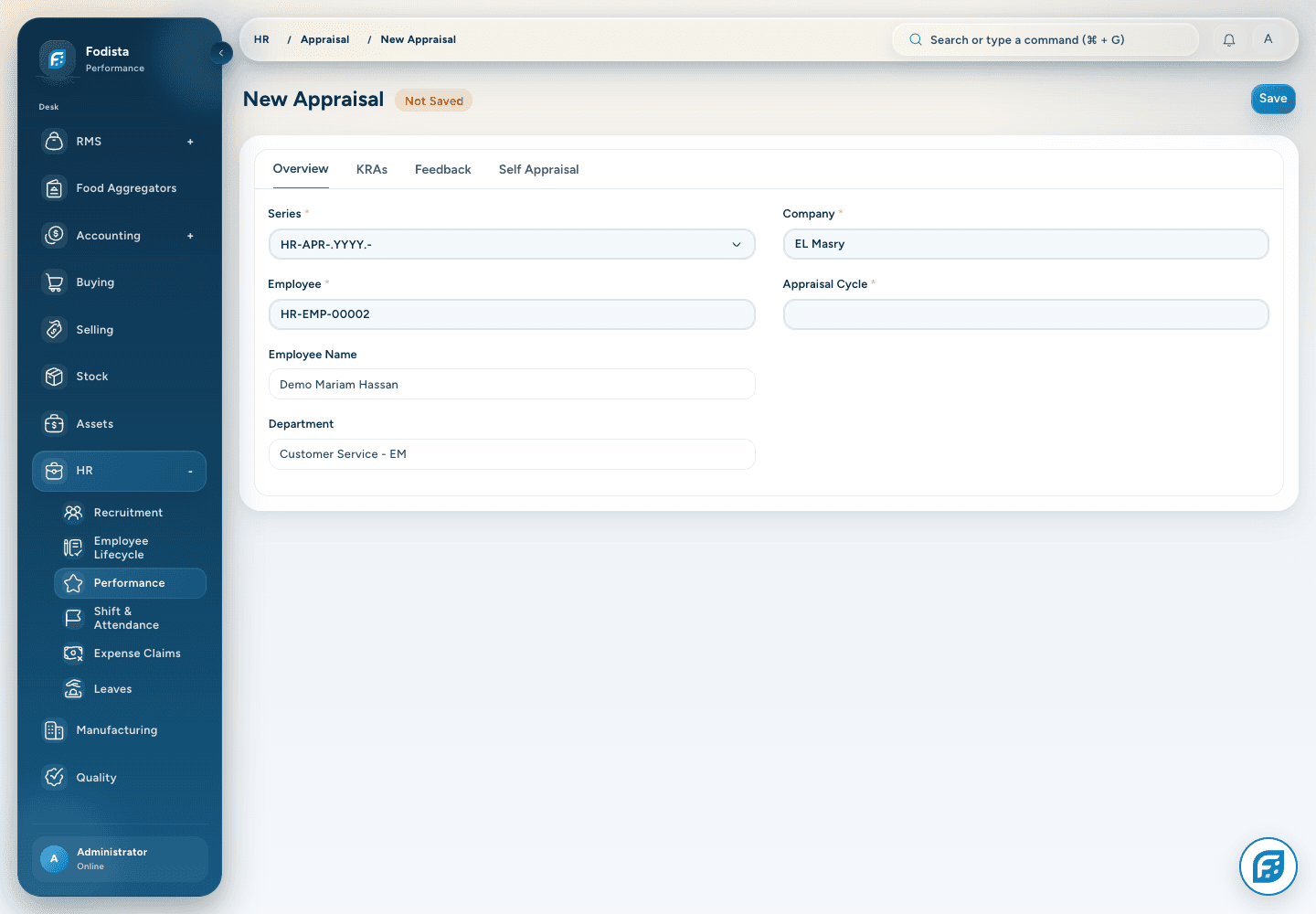
Give development
a recorded conversation.
Use the installed appraisal and performance tools to organize the configured review cycle and employee evaluation.
- A defined cycleKeep the appraisal period and employee context explicit.
- Configured criteriaUse the applicable goals, feedback, and review setup.
- A retained reviewKeep decisions in the supported record and approval flow.
People reporting
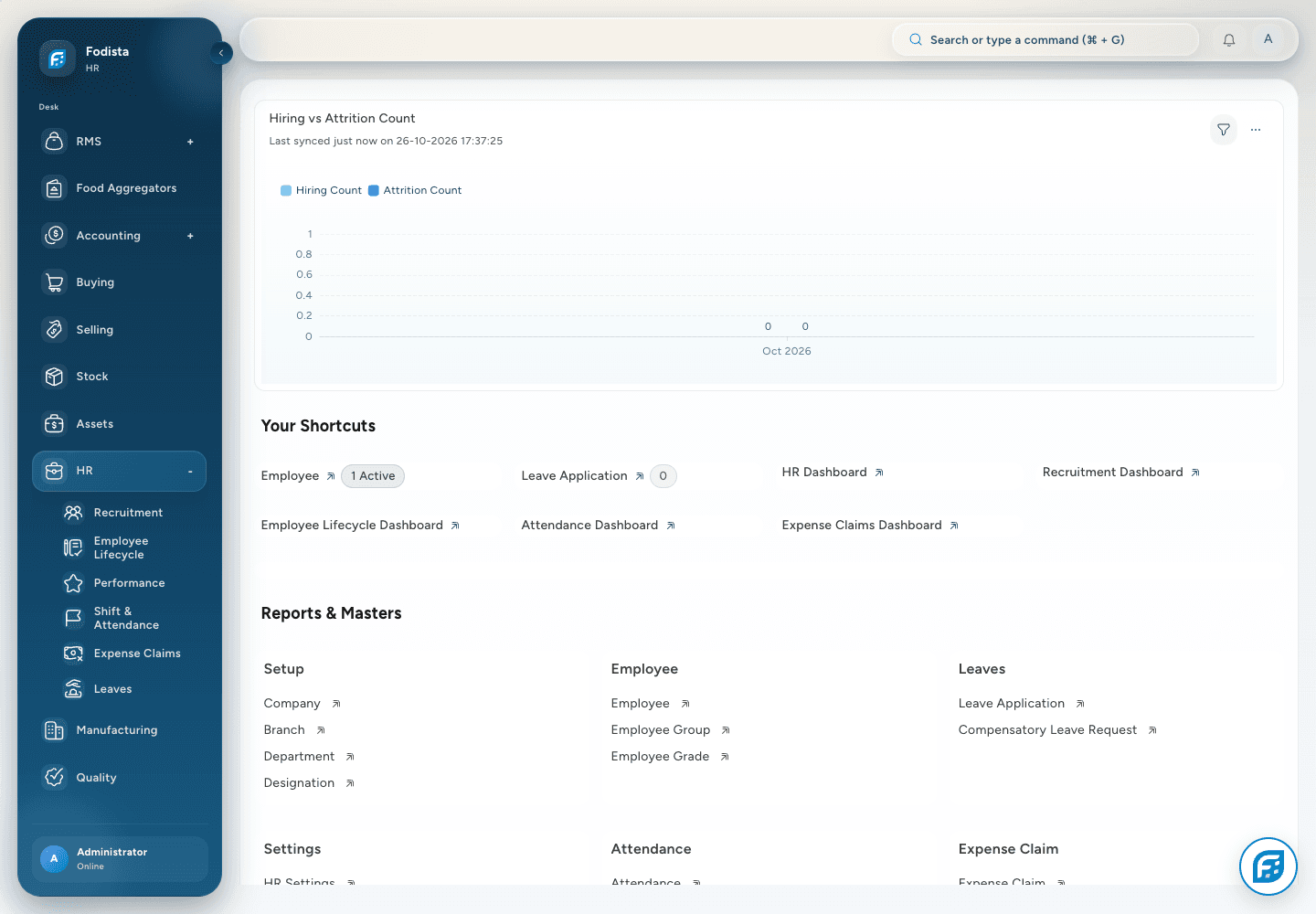
Review the team
with the right context.
Use the installed HR and payroll reports to review attendance, leave, employee activity, and salary records under the relevant filters.
- Time and leaveReview attendance and leave with the selected period and employee scope.
- Employee contextUse organization and lifecycle data when interpreting the picture.
- Payroll contextKeep sensitive salary reporting within the appropriate access boundaries.
CONNECTED WITH FODISTA
A connected team starts with connected records.
Keep the people workflow understandable for HR, line managers, and the finance team supporting payroll.
Product screens show demonstration data. Available workflows depend on your configuration and permissions.