
Delivery, transport → accountable operations · Dash
Every journey.
One clear picture.
Bring delivery and passenger operations, people, and financial outcomes into one connected system. Give every team a clearer way to plan the work, keep it moving, and account for the day.
Connect the operation
Keep teams moving
Account for every journey
Orders & document intake
Bring the details in.
Move the work forward.
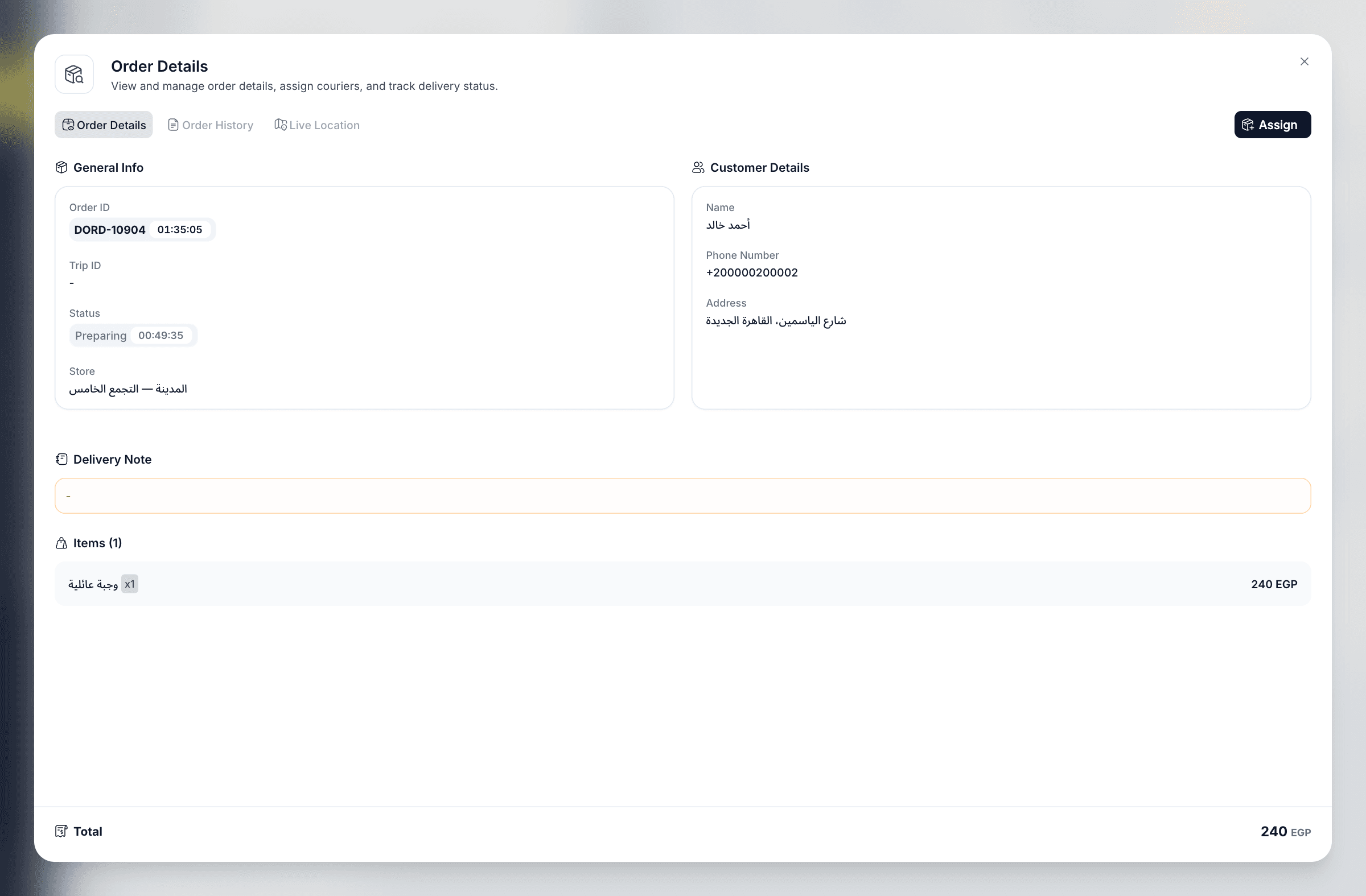
Keep the recipient, destination, items, and collection details together in each delivery order. Bring confirmed work into dispatch with the context the courier needs.
- Structured ordersKeep the delivery instructions and item details together.
- Photographed order slipsReview extracted information through the configured OCR workflow.
- Ready for the next stepMove confirmed work into the delivery lifecycle.
The dispatch workspace
See the work.
Make the next move.
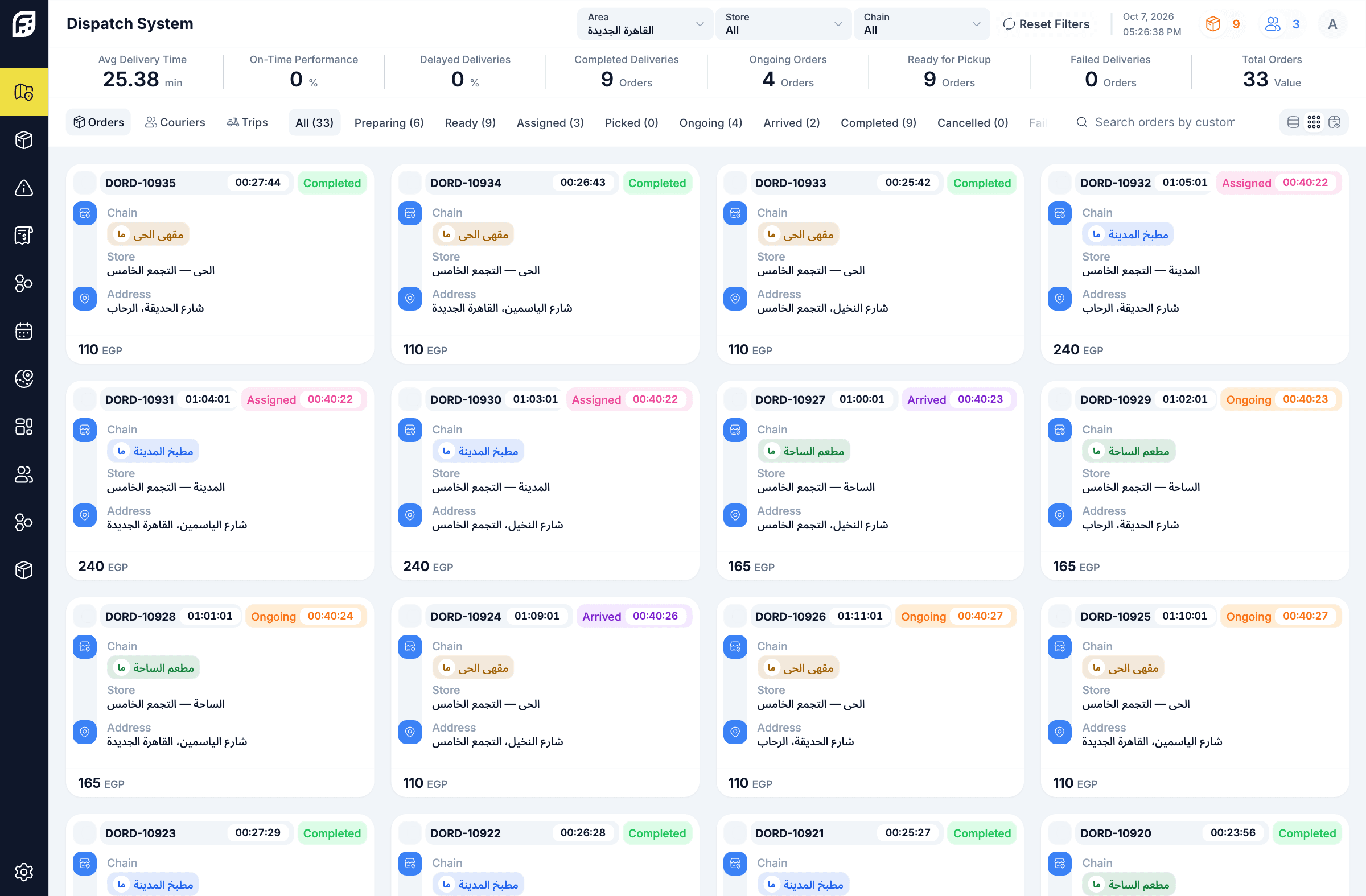
Bring orders, couriers, and trips into a shared dispatch workspace. Choose the view that makes today’s workload easiest to understand, and act on the work that needs attention.
- Orders, couriers & tripsMove between the three sides of the delivery operation.
- Cards, rows & KanbanSee the same work in the layout that suits the task.
- Focused by territoryNarrow the view by area, store, or chain.
Cards, rows & Kanban
The same work.
A view that fits.
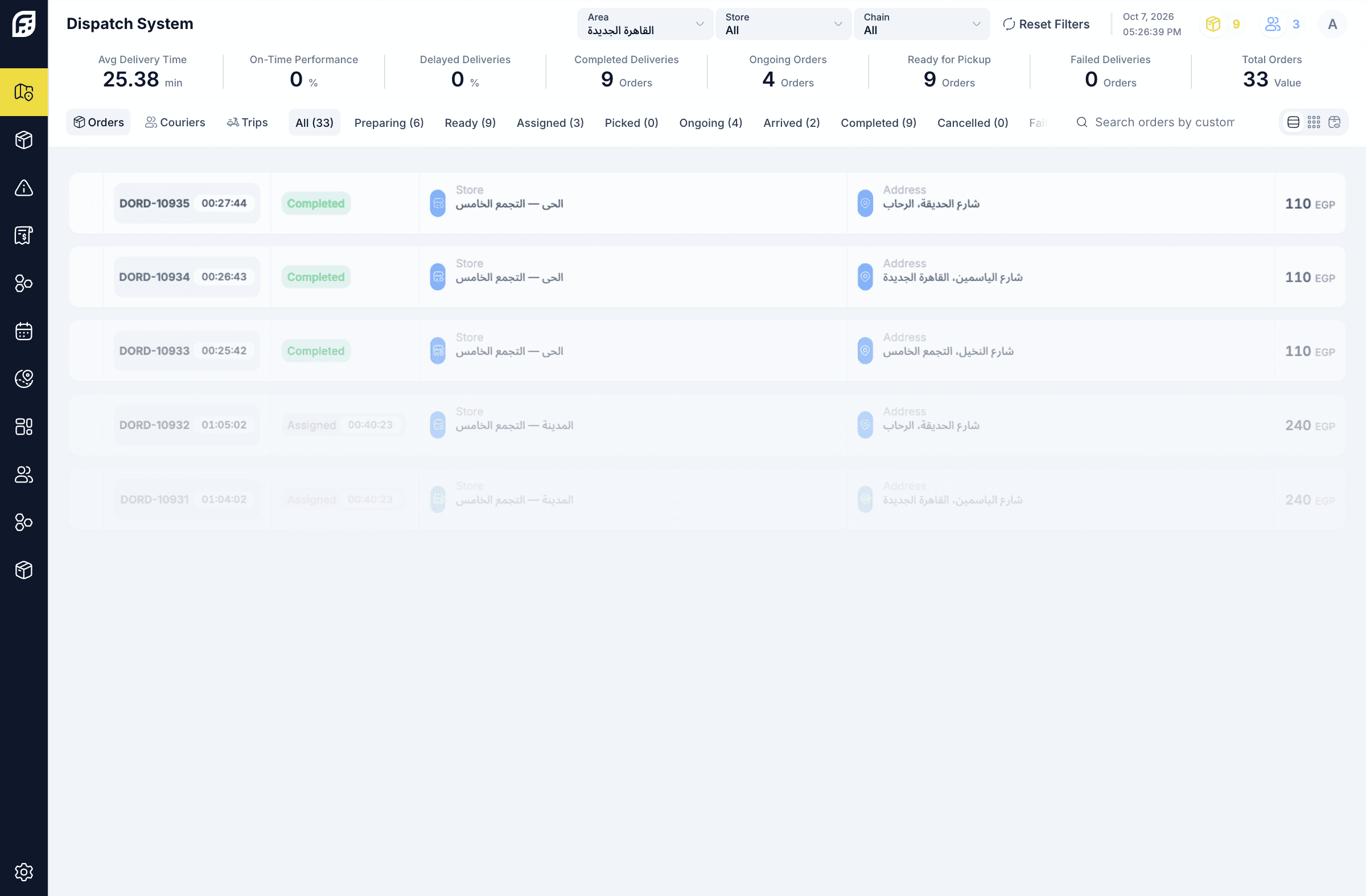
Scan the operation in cards, compare the details in rows, or follow the flow across Kanban stages. Keep the same orders and working scope as you switch views.
- Cards for a quick scanKeep each order’s stage, branch, and value together.
- Rows for comparisonBring more order details into one aligned view.
- Kanban for flowSee where the work sits across the lifecycle.
Automatic assignment
Less guesswork.
More movement.
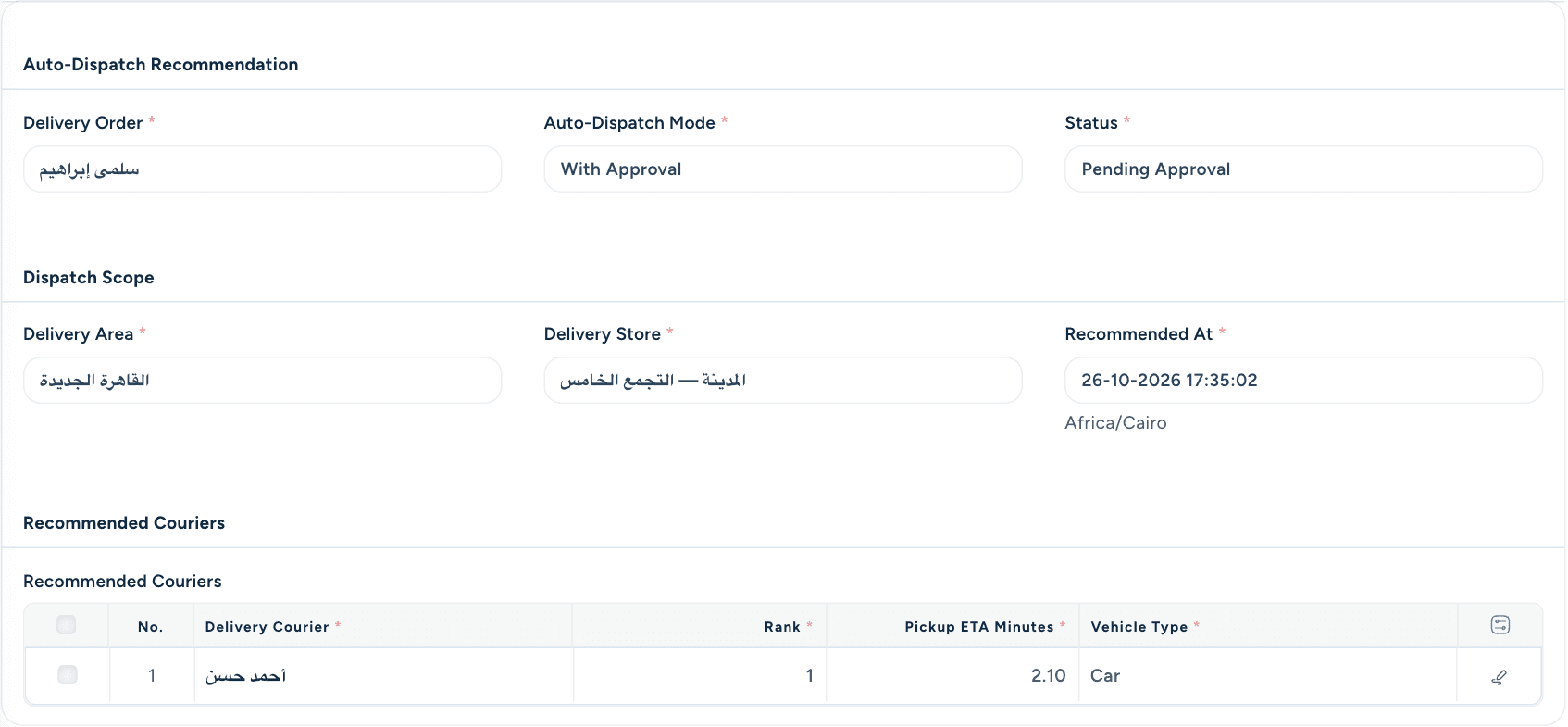
Match ready orders to eligible couriers using the operation’s configured rules. Choose direct assignment or review recommendations before they are applied.
- Eligibility firstRespect courier availability, serving territory, and configured capacity.
- Direct or with approvalChoose how much review the operation needs.
- A recorded decisionKeep the recommendation and its outcome available to inspect.
Assignment, trips & routes
A clearer route.
From pickup to return.
Bring delivery orders together into courier trips and follow the stops through their next stages. Keep assignments, routing, and completion connected as the work changes.
- Grouped delivery stopsKeep related orders together in the trip workflow.
- Assignment & reassignmentAdjust eligible work without losing its operational context.
- Shared-order portionsAllocate supported portions when one order needs more than one courier.
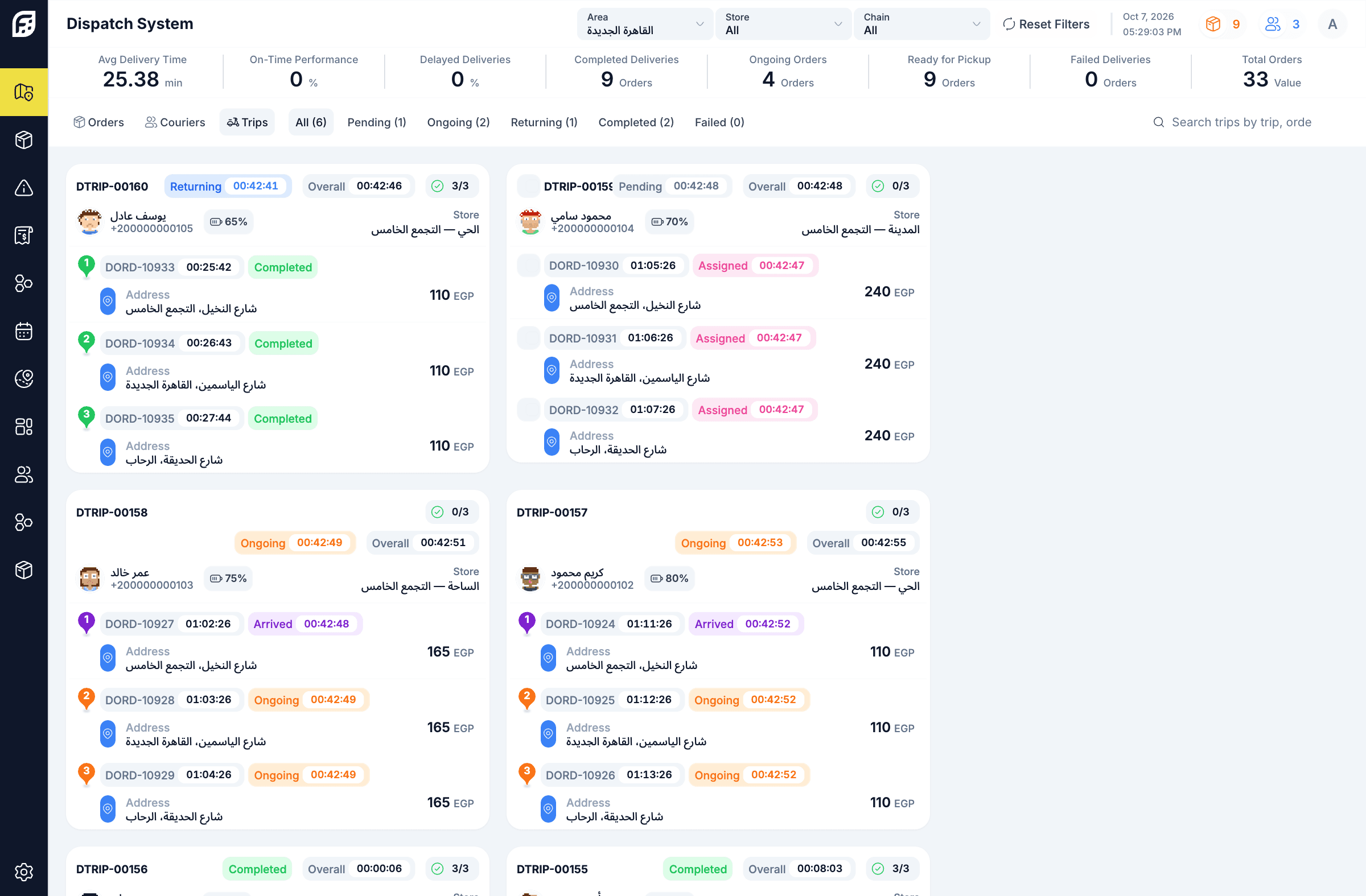
The courier experience
A clear next step.
For every courier.
Give couriers access to their assigned work and the actions that move a delivery forward. Keep pickup, arrival, delivery outcomes, and required proof connected to the same order.
- Pickup to deliverySupport the courier’s progress through the delivery lifecycle.
- QR pickup & proofUse supported QR pickup and configured delivery evidence.
- Connected updatesKeep courier availability, assignment notifications, and trip progress in the workflow.
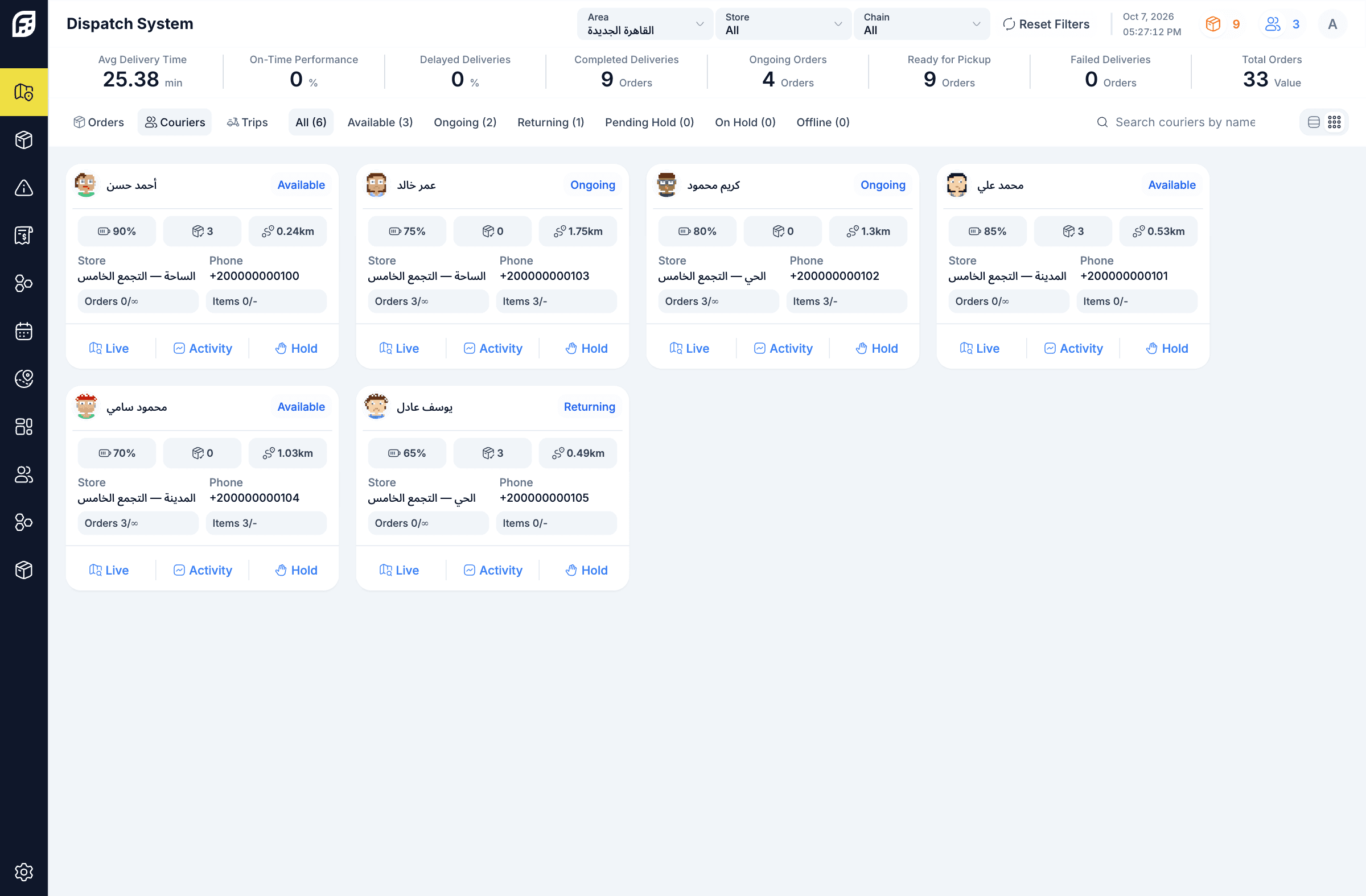
Location, issues & intervention
Know where it stands.
Act when it matters.
Bring location, trip progress, and reported issues into the operational picture. Give authorized teams a way to investigate exceptions and guide the next action.
- Location & progressFollow available location and lifecycle updates.
- Issues & failure reasonsRecord what happened and the reason for the outcome.
- Controlled interventionUse supported holds, reassignment, and authorized operational actions.
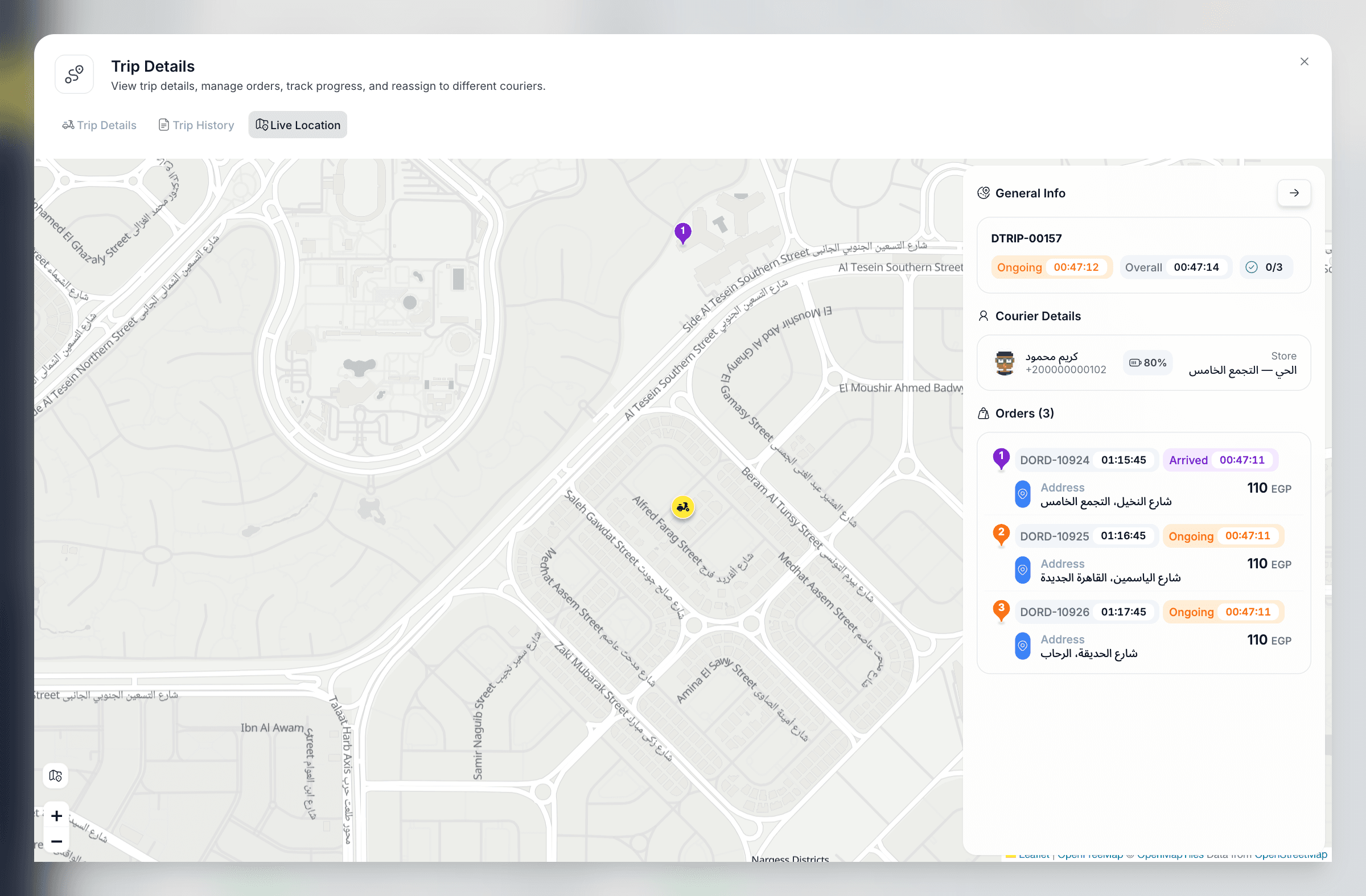
Order heatmap
See the pattern.
Plan around demand.
Bring order locations into a map view to understand how work is distributed across the area. Use the visible pattern alongside your coverage plan and local operating knowledge.
- Location-based perspectiveRead geographic patterns that are harder to see in a list.
- Focused by territoryLook at the operating area that matters to the team.
- A planning conversationUse the pattern with shifts, teams, and capacity decisions.
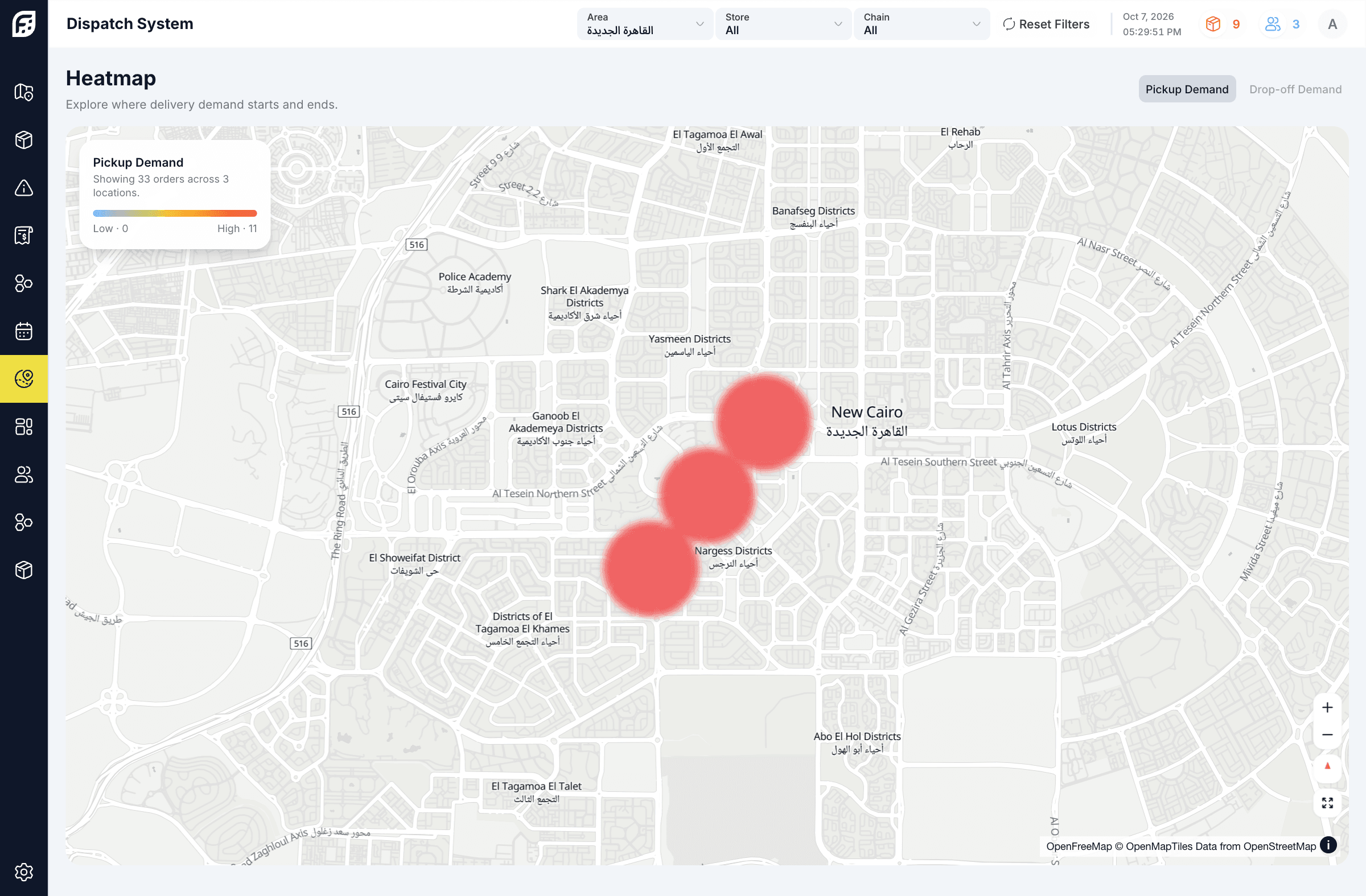
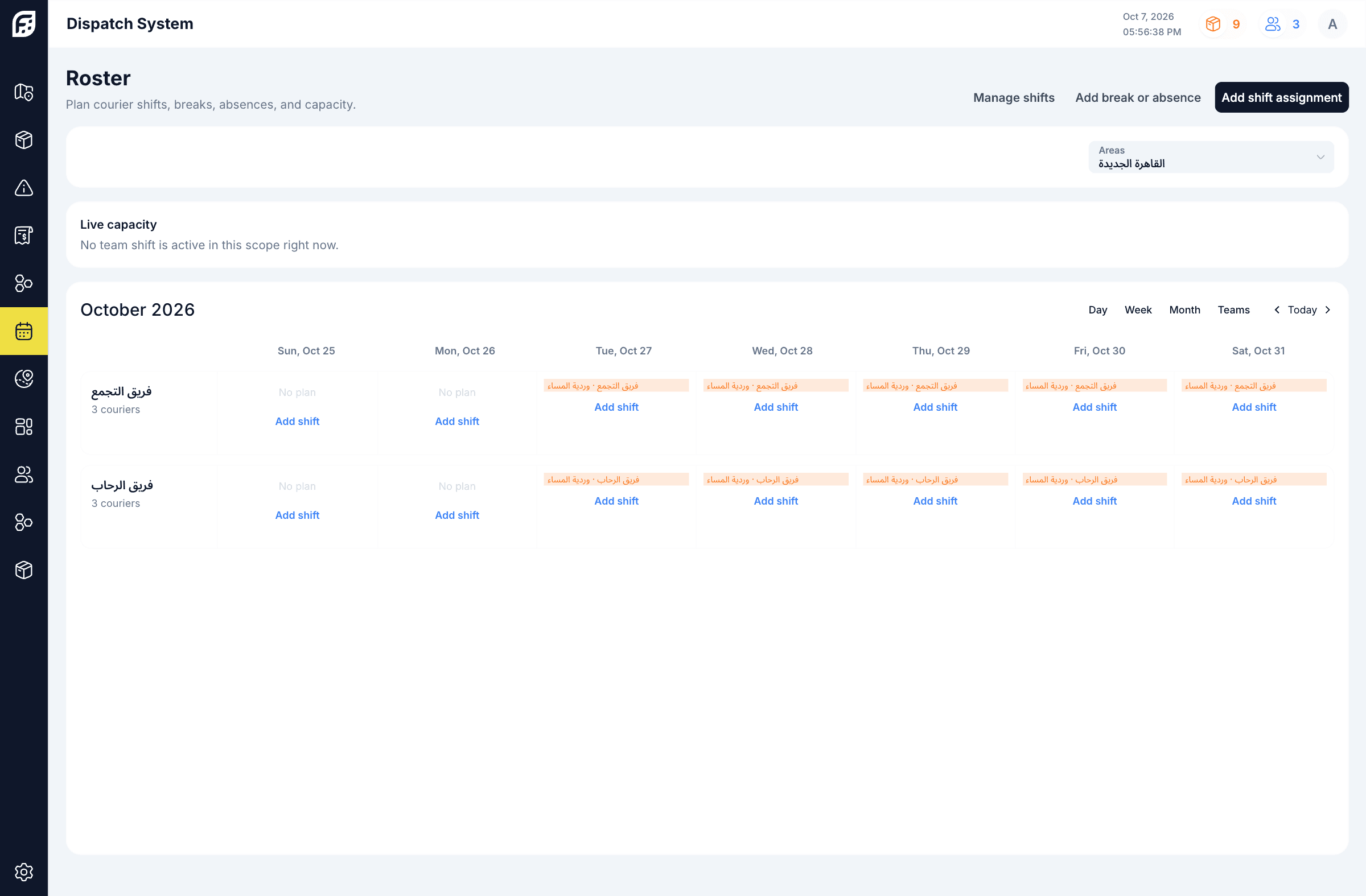
Areas, teams & shifts
Plan the people.
Cover the day.
Organize couriers around the areas and stores they serve. Bring shifts, rosters, breaks, and absences into the plan so coverage is easier to coordinate.
- Areas, chains & storesKeep pickup locations and operating territories organized.
- Courier teamsConnect the people to the territory they serve.
- Shifts & exceptionsPlan rostered capacity and record breaks or absences.
Zones & commercial rules
Different services.
Clearer pricing.
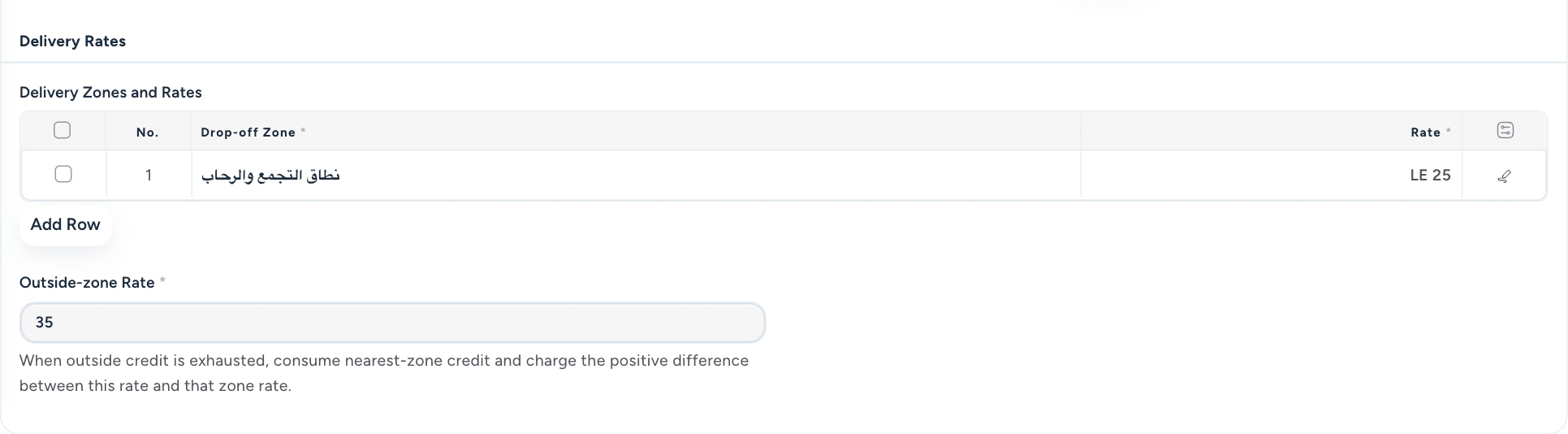
Set delivery pricing around the customer’s agreement and the territory being served. Bring zone rates, package tiers, and outside-zone rules into a consistent commercial setup.
- Delivery zonesConnect location-based service rules to the price list.
- Pay as you go or tiersSupport different commercial arrangements.
- Outside-zone pricingDefine how work beyond the package’s usual territory is treated.
Subscriptions & dedicated couriers
Make the agreement
part of the operation.
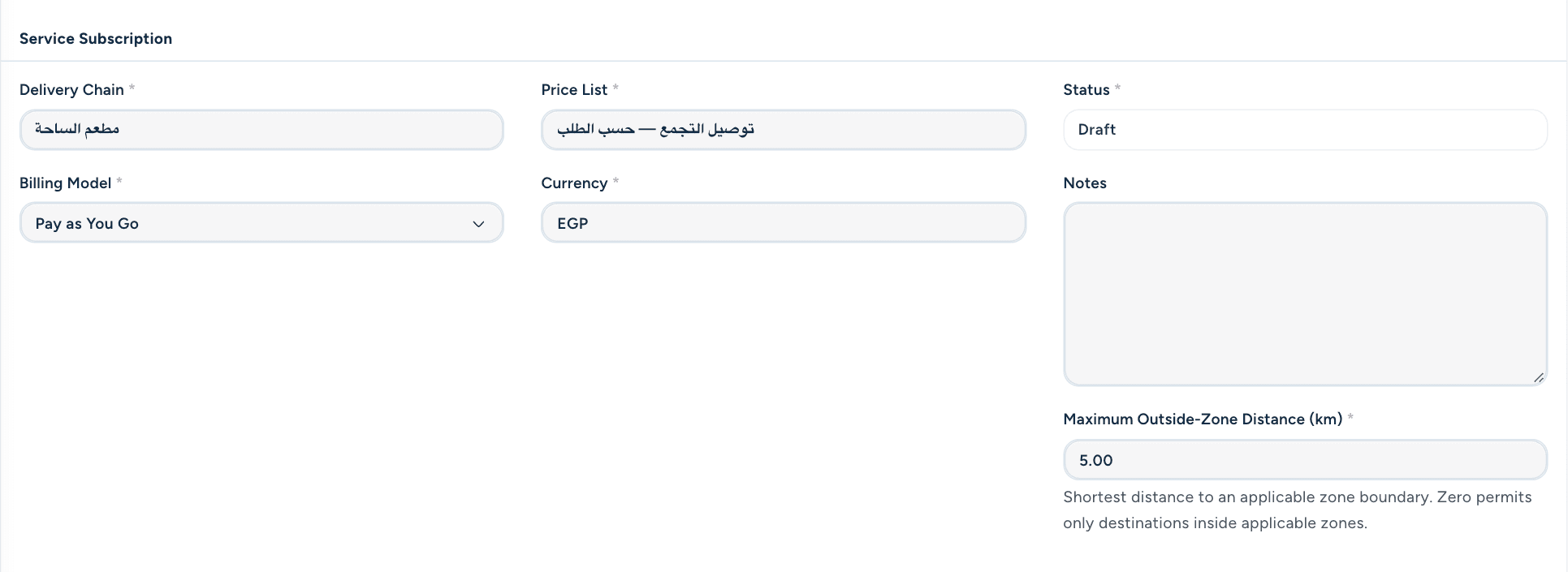
Manage recurring delivery service and dedicated courier arrangements alongside daily work. Keep the service period, included terms, and recorded consumption connected.
- Service subscriptionsKeep active service periods and package terms in view.
- Dedicated courier assignmentsConnect an agreed courier service to the relevant stores.
- Consumption historyTrack the package events and usage recorded by the workflow.
Cash on delivery & handover
Know what’s collected.
And what’s handed over.
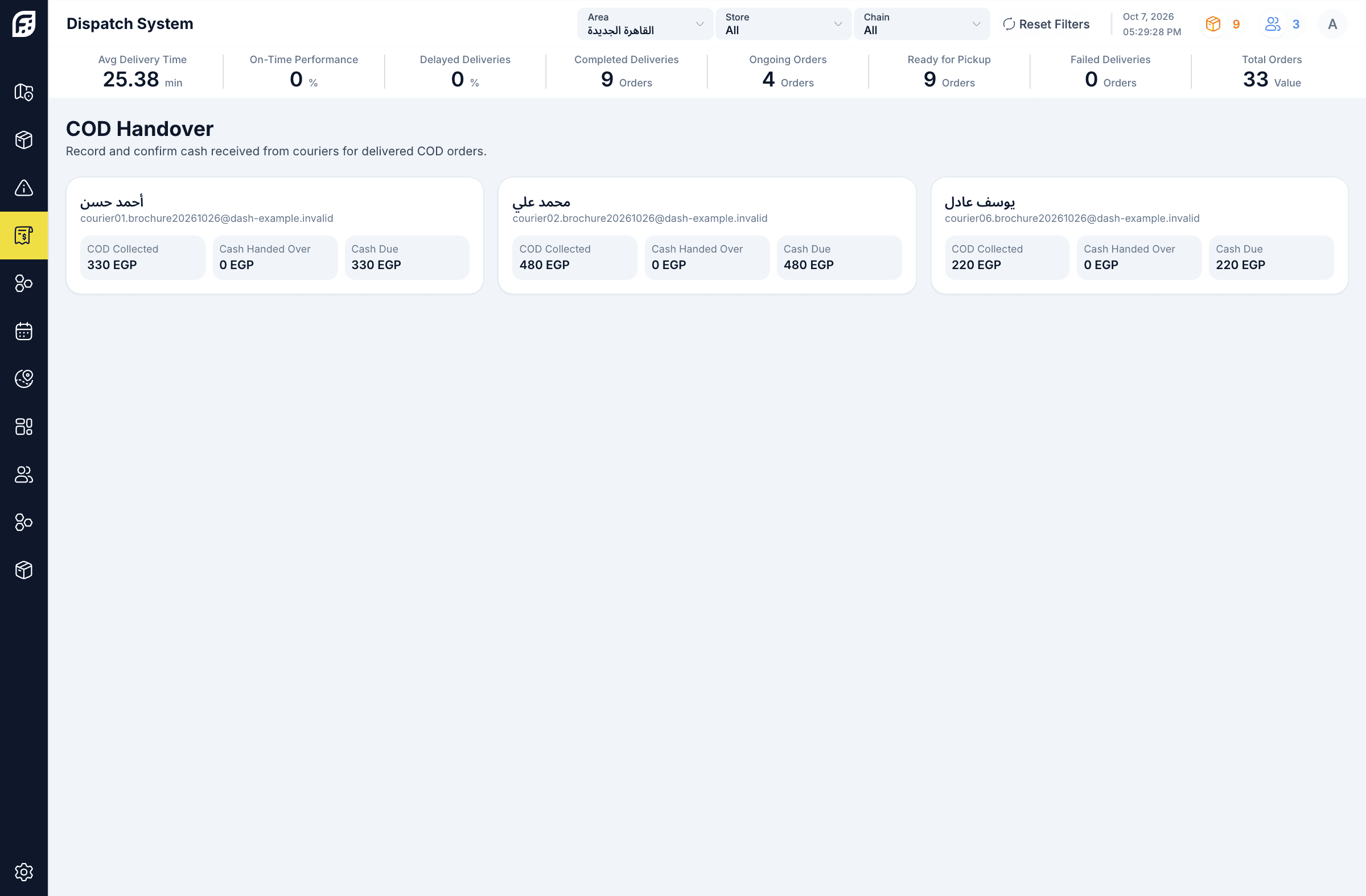
Follow delivered cash-on-delivery amounts through courier handover and receiver confirmation. Keep collected goods cash distinct from the delivery service’s own revenue.
- Courier cash positionSee collected, handed-over, and due amounts together.
- Confirmed handoverConnect the cash receipt to a receiving user’s confirmation.
- Order-level contextKeep the handover linked to the delivered orders behind it.
Attendance, pay terms & payroll
Pay from the work.
With clear rules.
Bring compensation terms, attendance inputs, and operational activity into courier payroll. Give the team a structured way to calculate, inspect, and review what is due.
- Compensation templatesKeep effective pay arrangements organized over time.
- Attendance & activityUse the inputs supported by the calculation workflow.
- Payroll statementsReview the calculation and its supporting detail before the next financial step.
Passenger transport & scheduling
Plan the service.
Connect every leg.
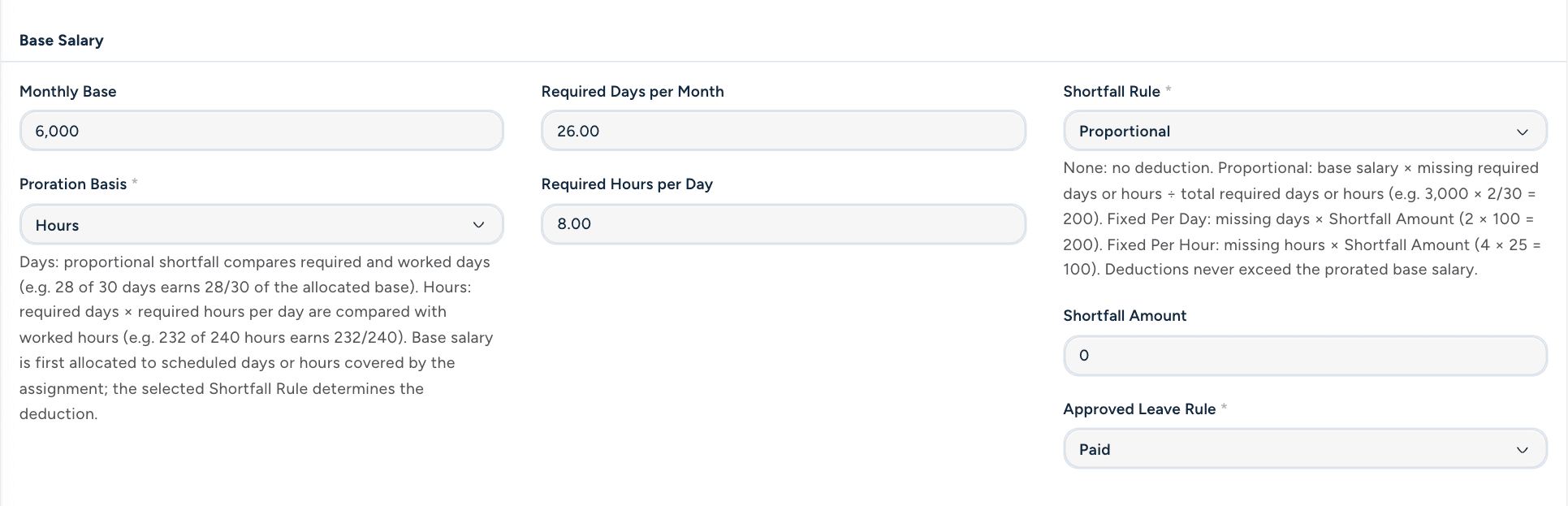
Turn a passenger transport request into a reviewed service plan. Connect routes, stops, schedules, vehicle allocations, and drivers to the recurring journeys you need to run.
- Requests & reviewKeep customer requirements and approval decisions together.
- Routes & vehicle allocationsConnect the planned service to stops, capacity, and available vehicles.
- Outward & return journeysKeep the paired service cycle connected.
Drivers, vehicles & trip execution
From first pickup.
To final return.
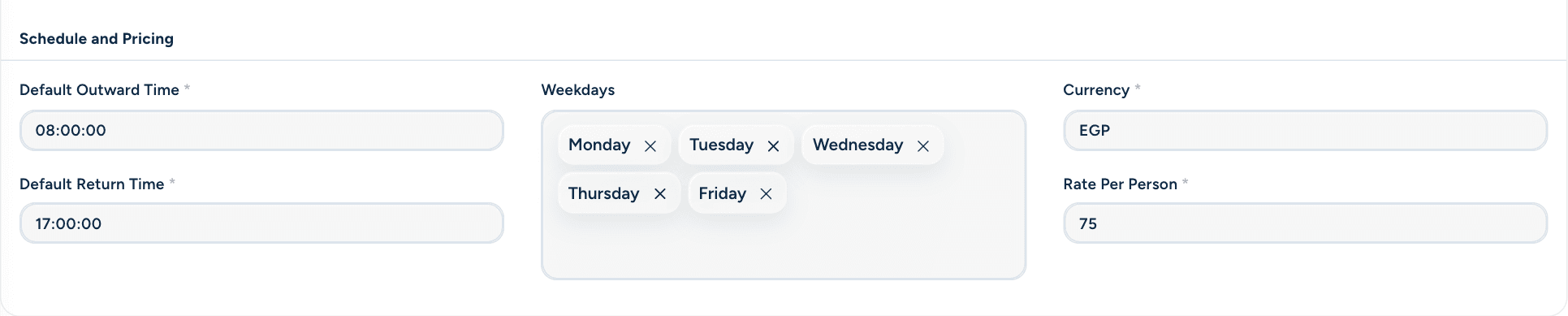
Connect the scheduled passenger journey to its driver, vehicle, and operating milestones. Record acknowledgement, start, completion, and the exceptions that affect the service.
- Driver workflowGive drivers access to their assigned passenger trips.
- Time & location checksUse the configured start windows and location evidence.
- Interrupted or missed serviceKeep exceptions and supported recovery actions in the service history.

Transport subscriptions & outcomes
When the service changes,
keep the context.
Manage transport subscription terms and supported service changes without losing their history. Connect completed service outcomes with customer billing and driver cost rules.
- Subscription changesManage the supported amendment, suspension, and cancellation workflow.
- Driver payment rulesKeep the cost basis connected to the service.
- Billable outcomesFollow completed rides into their financial outcome and billing workflow.

Financial periods & posting
Bring the work into
the financial picture.
Bring delivery and passenger financial events into a shared review process. Follow financial entries through controlled posting and correction workflows, with the source context retained.
- Operational financial entriesKeep the financial effect connected to its source activity.
- Periods & postingsOrganize the review and supported accounting steps.
- Adjustments & penaltiesRecord supported corrections and reasoned charges with their financial trail.
Performance & profitability
See the performance.
Understand the return.
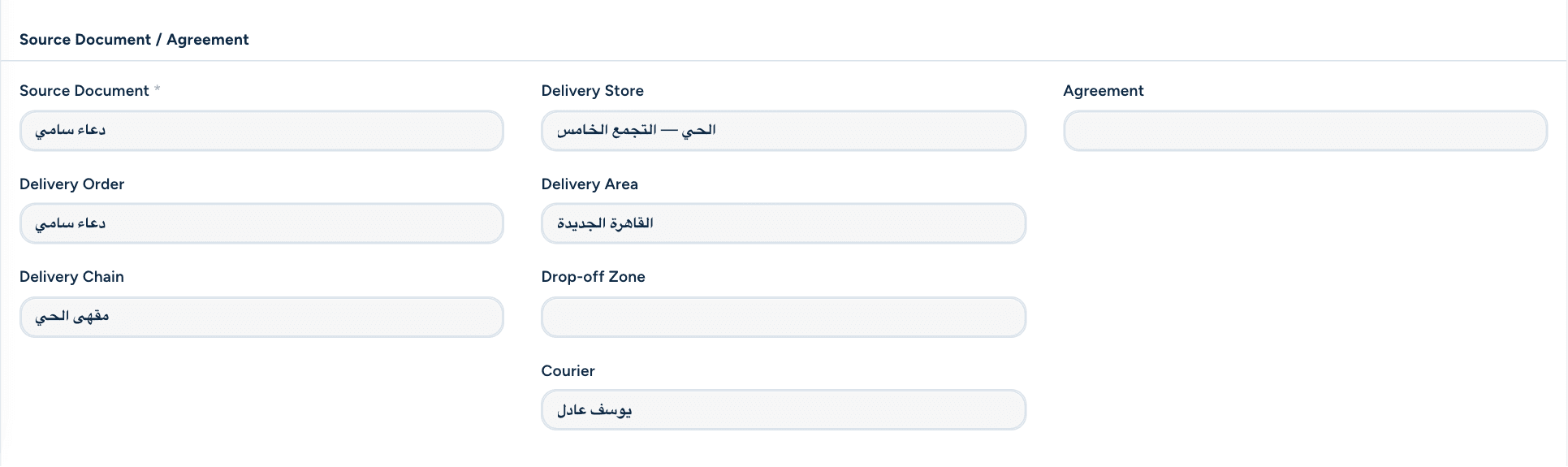
Review the work through operational indicators and the reports enabled for your team. Bring delivery timing, team utilization, and supported delivery or passenger profitability views into the conversation.
- Delivery performanceReview timing and lifecycle information behind the day’s work.
- Team utilizationUnderstand how planned capacity relates to activity.
- Financial perspectiveUse the supported profitability reports to examine the business outcome.
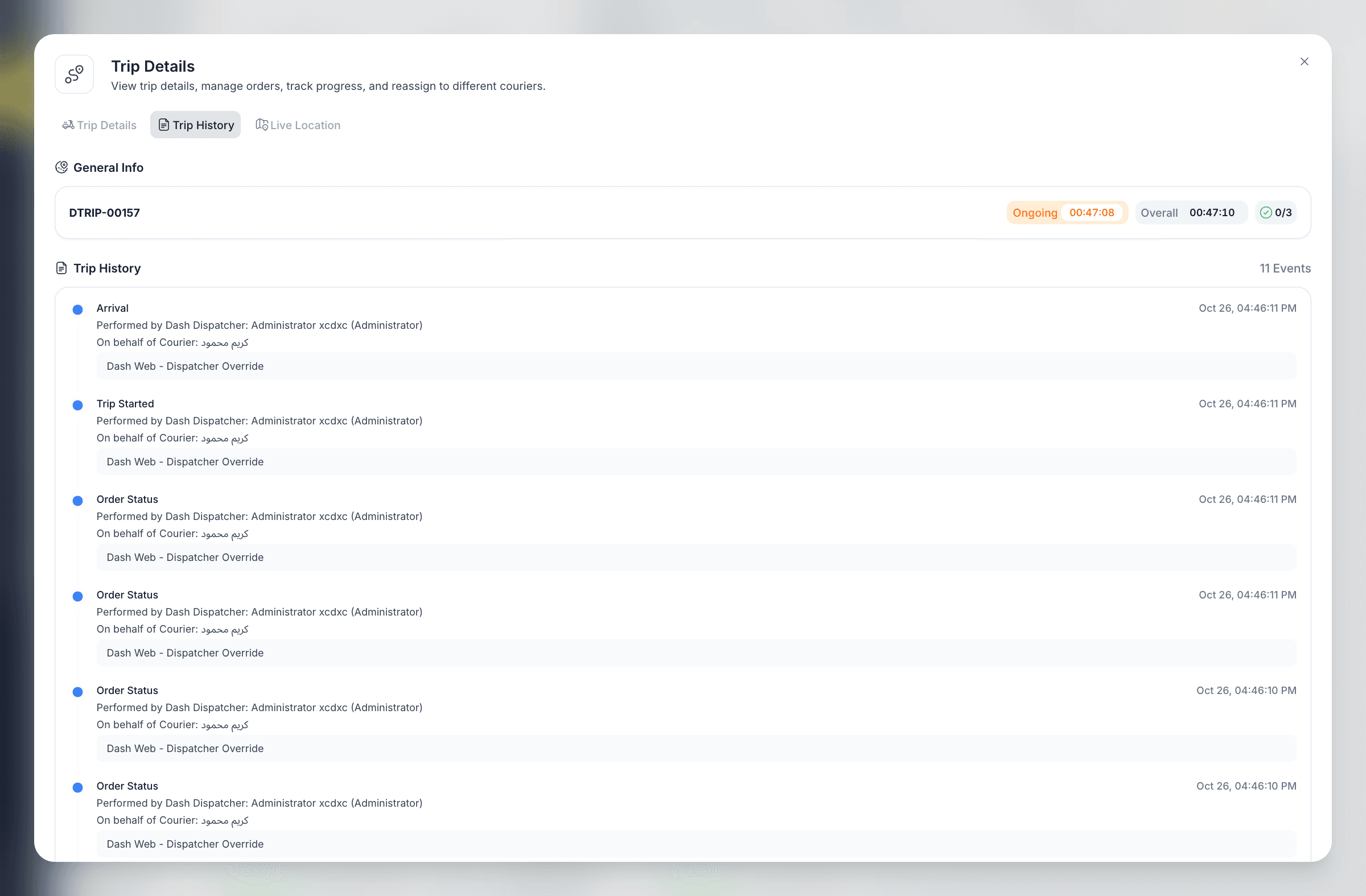
Roles, evidence & history
Clear responsibility.
At every step.
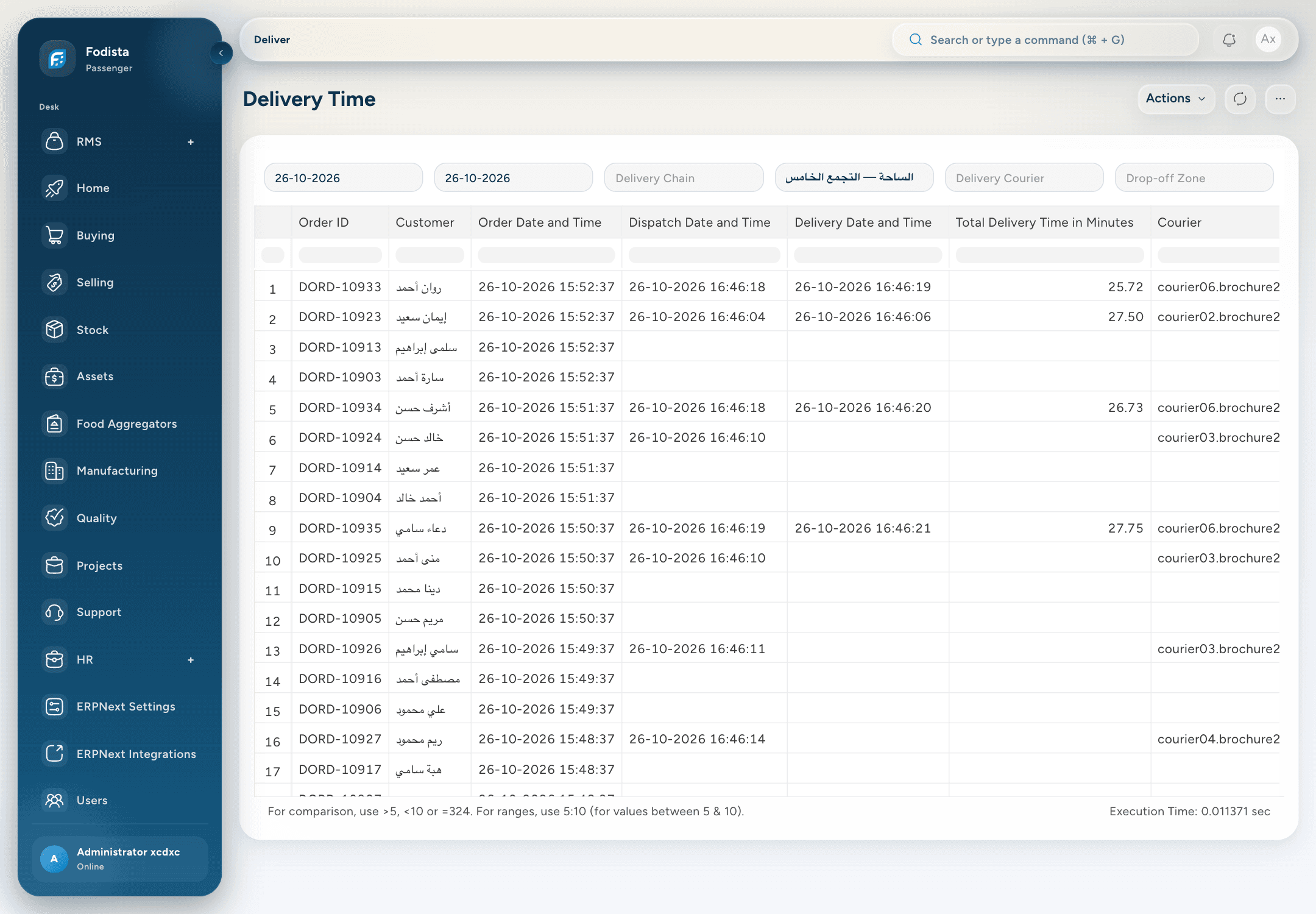
Keep operational actions within the user’s role and working scope. Retain the issues, recorded events, and supporting evidence that help a team understand what happened.
- Role & territory scopeGive the right people access to the work they serve.
- Events & issue historyPreserve the context behind changes and exceptions.
- Reasons & supporting evidenceKeep required explanations and recorded evidence with the workflow.
CONNECTED WITH FODISTA
Your work. Your people. Connected.
Bring dispatch, the road, recurring service, and the financial picture into a clearer operating rhythm. Give every journey a place in one connected operation.
Product screens show demonstration data. Available workflows depend on your configuration and permissions.